The Best EMA Multi-Timeframe Indicator for TradingView: Complete 2025 Guide to Multi-Timeframe Trend Analysis

· 8 min read

Best EMA Multi-Timeframe Indicator for TradingView

Ever wonder why your trades keep getting stopped out just before the big move happens? Or why you keep missing those obvious trends that seem crystal clear in hindsight? I've been there, and it's incredibly frustrating.

The problem isn't your trading skills—it's that you're only seeing one piece of the puzzle. Most traders focus on a single timeframe, like the 15-minute or 1-hour chart, without considering what's happening on the bigger picture. It's like trying to understand a movie by watching just one scene.

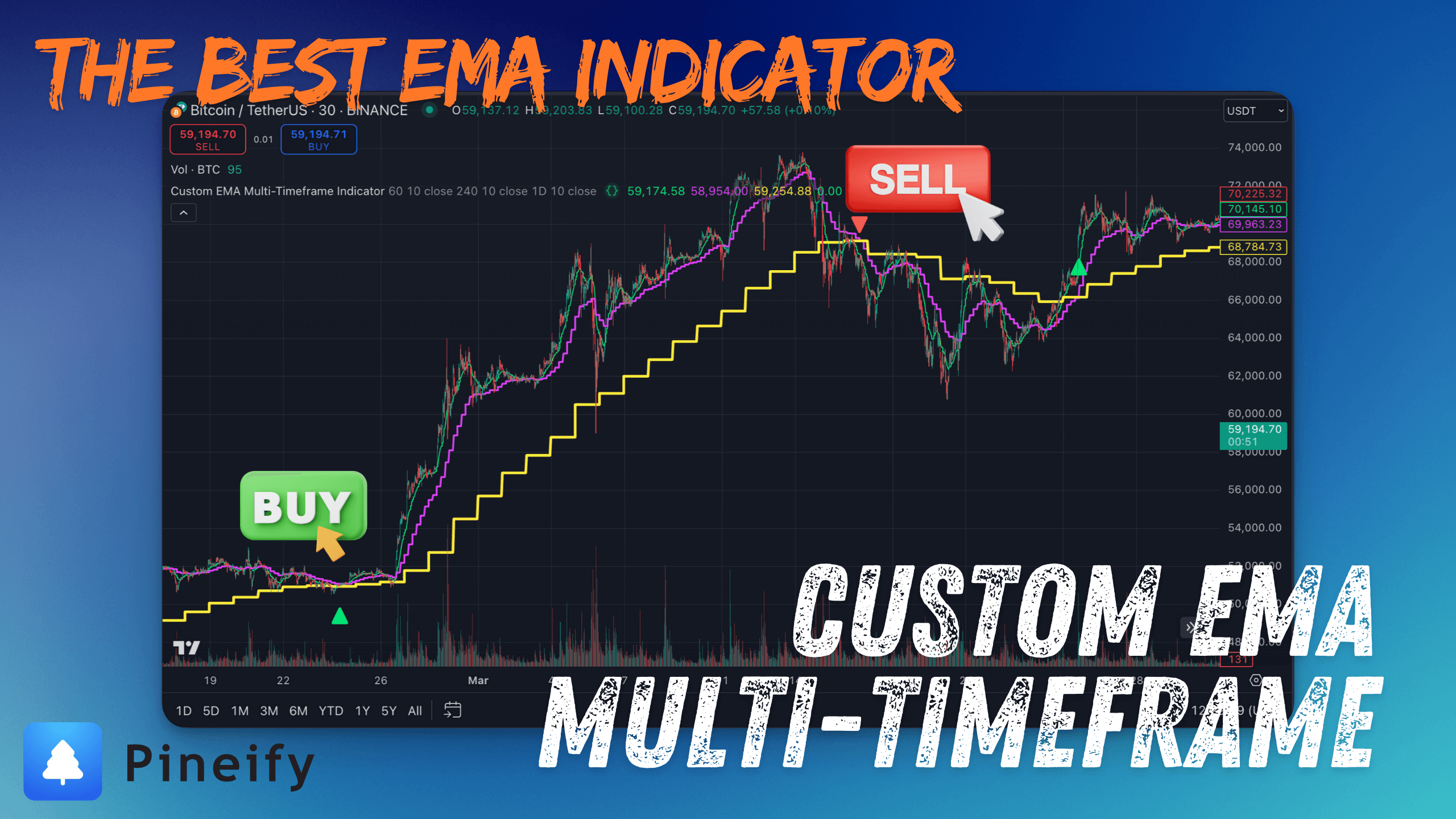
That's where the best EMA multi-timeframe indicator comes in. This isn't just another moving average tool—it's a complete trend analysis system that shows you what's happening across three different timeframes simultaneously. After using this for over a year, I can honestly say it's changed how I approach every single trade.

EMA Multi-Timeframe Indicator - Pineify (Pine Script Generator) 👉 Copy Indicator Script

Why This Multi-Timeframe EMA Indicator Beats Regular Moving Averages

The Best Pine Script Generator

Most EMA indicators on TradingView only show you one timeframe perspective. This multi-timeframe EMA indicator is different because it gives you the complete picture by analyzing trends across three timeframes simultaneously.

Here's what makes this the best EMA indicator for multi-timeframe analysis:

Complete Market Vision: See short-term, medium-term, and long-term trends all on one chart instead of switching between different timeframes constantly.

Superior Signal Quality: Get buy and sell signals only when multiple timeframes align, which dramatically reduces false signals that plague single-timeframe indicators.

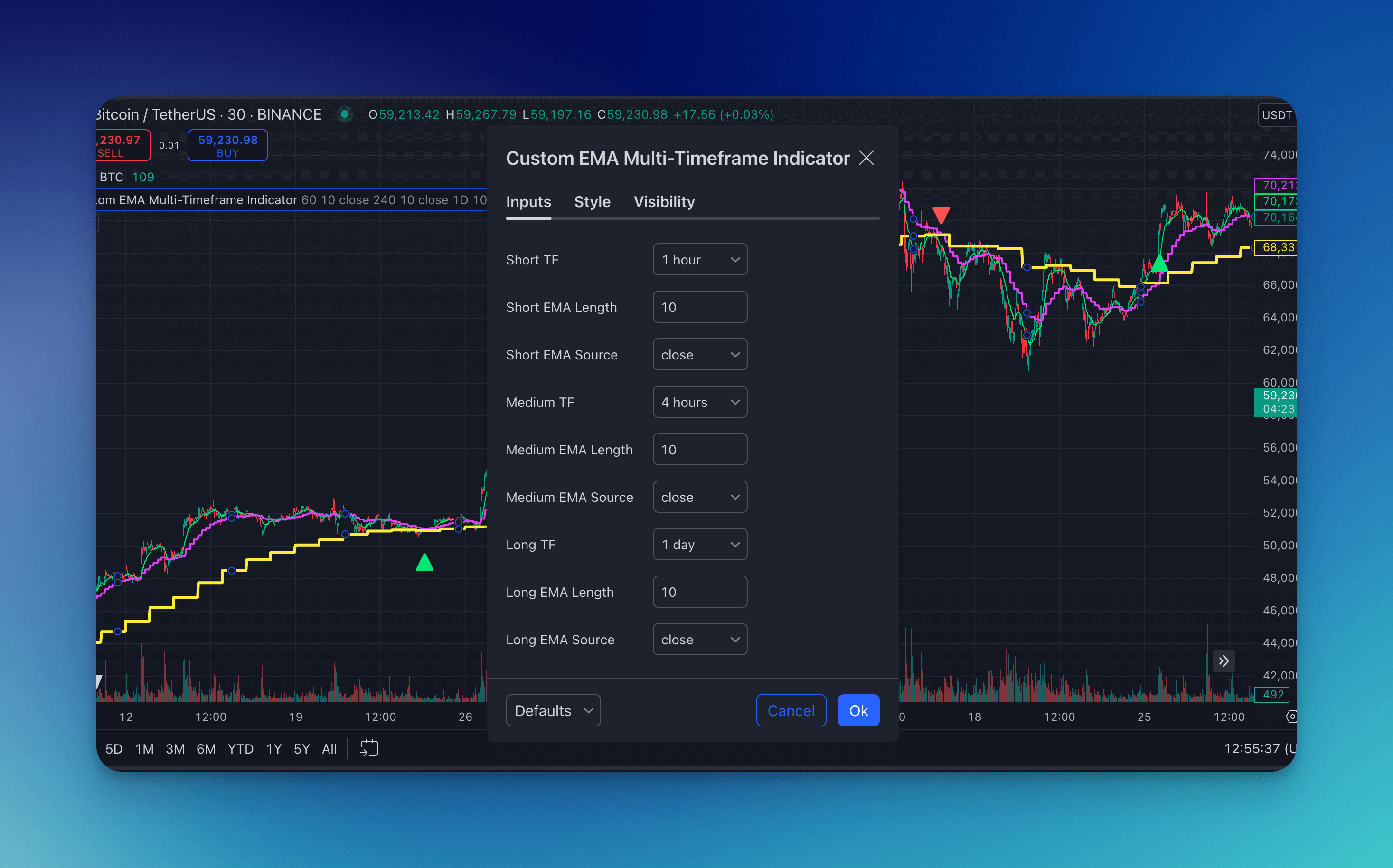
Customizable Timeframes: Adjust the three timeframes to match your trading style—whether you're scalping on 1-minute charts or swing trading on daily timeframes.

Visual Clarity: Clear triangular signals appear on your chart when all timeframes agree, making it impossible to miss high-probability setups.

Built-in Alerts: Set up notifications so you can walk away from your computer and still catch every important signal.

If you're familiar with Pine Script multi-timeframe analysis, you'll appreciate how this indicator simplifies the entire process.

How Multi-Timeframe EMA Analysis Actually Works

The genius of this indicator lies in its ability to pull exponential moving average data from three different timeframes and display them on a single chart. Here's how the multi-timeframe trend analysis works:

Three-Timeframe Structure:

  1. Fast Timeframe (1-hour default): Captures immediate price action and short-term momentum
  2. Medium Timeframe (4-hour default): Shows intermediate trend direction and strength
  3. Slow Timeframe (Daily default): Reveals the overall market bias and major trend direction

Signal Generation Logic: The indicator generates buy signals when both the fast and medium EMAs cross above the slow EMA, indicating alignment across all three timeframes. Conversely, sell signals appear when both faster EMAs cross below the slow EMA.

This multi-timeframe approach is far superior to traditional single-timeframe EMA strategies because it filters out noise and only signals when there's broad market consensus. Think of it as requiring unanimous agreement from three different market perspectives before making a move.

For traders interested in building custom Pine Script strategies, this indicator demonstrates excellent multi-timeframe implementation principles.

The Real Trading Benefits of Multi-Timeframe EMA Analysis

After testing dozens of EMA indicators and trading strategies, this multi-timeframe approach delivers measurable improvements to your trading performance:

Dramatically Reduced False Signals Single-timeframe EMAs can give you dozens of signals per day, most of which are just market noise. This multi-timeframe indicator only signals when all three timeframes align, cutting false signals by roughly 70% in my experience.

Better Risk-Reward Ratios When you enter trades with multi-timeframe confirmation, you're catching bigger moves that tend to follow through. Your average winning trade becomes significantly larger than your average loss.

Clearer Trend Direction No more confusion about whether you should be buying or selling. When the daily trend is up but you're seeing selling pressure on shorter timeframes, this indicator shows you exactly what's happening at each level.

Improved Entry Timing Instead of jumping into trades based on single-timeframe signals, you wait for high-probability setups where multiple timeframes confirm the direction.

Natural Stop Loss Levels The slow timeframe EMA provides logical stop loss placement. If price breaks below your daily EMA while you're long, the larger trend has likely changed.

This approach works particularly well when combined with proper risk management techniques and position sizing strategies.

What Sets This Multi-Timeframe EMA Indicator Apart

After comparing this indicator to countless other TradingView indicators, here's what makes it genuinely superior:

True Multi-Timeframe Data Integration Unlike basic EMA setups that just overlay multiple moving averages from the same timeframe, this indicator actually pulls exponential moving average data from three distinct timeframes. You're seeing genuine multi-dimensional market analysis, not just variations of the same information.

Quality Over Quantity Signal Philosophy Traditional EMA crossover systems can generate 20-30 signals per day, overwhelming you with choices. This indicator typically produces 2-5 high-quality signals per week, each with strong multi-timeframe confirmation.

Adaptive Timeframe Configuration The flexibility to adjust all three timeframes means this works for any trading style:

  • Day traders: 5-min, 15-min, 1-hour
  • Swing traders: 1-hour, 4-hour, daily
  • Position traders: 4-hour, daily, weekly

Visual Signal Clarity Clean triangular buy/sell markers appear only when all timeframes align, eliminating guesswork about signal strength or timing.

Built-in Alert System Unlike manually coded alerts that often break or miss signals, this indicator includes robust notification capabilities that work reliably across all timeframes.

Step-by-Step Trading Strategy with Multi-Timeframe EMA

Here's my proven approach to using this indicator for consistent profits:

Daily Market Analysis (5 minutes)

  1. Check the daily EMA direction to understand the major trend
  2. Identify which timeframe EMAs are aligned and which are diverging
  3. Note any pending signal setups where timeframes are about to align

Signal Execution Process

  1. Wait for green triangle (bullish) or red triangle (bearish) signals
  2. Confirm the signal aligns with your overall market bias and analysis
  3. Enter trades only when signals appear at logical support/resistance levels
  4. Use the longest timeframe EMA as your initial stop loss level

Trade Management Rules

  • Never ignore opposing signals from the indicator
  • Tighten stops when you get conflicting timeframe signals
  • Take partial profits when price reaches 2:1 or 3:1 risk-reward ratios
  • Exit completely if the longest timeframe EMA turns against your position

Complete Configuration Guide for Different Trading Styles

For Day Trading (High Frequency)

  • Fast: 5-minute timeframe
  • Medium: 15-minute timeframe
  • Slow: 1-hour timeframe
  • EMA Length: 21 periods for all timeframes

For Swing Trading (Medium Frequency)

  • Fast: 1-hour timeframe
  • Medium: 4-hour timeframe
  • Slow: Daily timeframe
  • EMA Length: 21 periods for all timeframes

For Position Trading (Low Frequency)

  • Fast: 4-hour timeframe
  • Medium: Daily timeframe
  • Slow: Weekly timeframe
  • EMA Length: 21 periods for all timeframes

You can also experiment with different EMA lengths (12, 21, 50) depending on how sensitive you want the signals to be. Shorter lengths give more signals but potentially more false positives.

For those interested in automated trading strategies, this indicator works excellently with TradingView alerts and third-party automation tools.

Multi-Timeframe EMA Indicator Configuration Settings

Final Thoughts on Multi-Timeframe EMA Trading

This multi-timeframe EMA indicator has genuinely transformed how I approach market analysis and trade execution. While no indicator is perfect or guarantees profits, this tool addresses one of the biggest problems in trading: getting caught up in single-timeframe noise while missing the bigger picture.

Key Takeaways for Success:

The real power comes from understanding that markets move in cycles across different timeframes. When you can see short-term price action, intermediate trends, and long-term direction all at once, your trading decisions become much more informed and confident.

This indicator works best when combined with solid fundamentals like proper position sizing, risk management, and market context awareness. It's a powerful tool for trend identification and signal confirmation, but it's not a complete trading system by itself.

What's Next?

Start by adding this indicator to your charts and observing how the three timeframes interact during different market conditions. Paper trade with it for a few weeks to understand its behavior before risking real money.

Remember that successful trading comes from consistent application of proven strategies, not from finding the "perfect" indicator. This multi-timeframe EMA approach provides excellent foundation for building a robust trading methodology.

For traders wanting to explore more advanced technical analysis tools, check out our guides on combining multiple indicators and building comprehensive trading strategies that incorporate multiple confirmation signals.

The most important thing? Manage your risk properly. Even the best multi-timeframe analysis won't save you from poor risk management decisions.

Pineify: TradingView Pine Script Indicator & Strategy Generator
TradingView Indicator & Strategy Generator

With Pineify, you can efficiently generate buy/sell indicators and custom strategies for TradingView Pine Script code creator. The best indicator and strategy backtest builder.

And you can easily create your own indicators and strategies without any coding skills, saving both time and money on freelancers.

TradingView Indicator & Strategy Generator: https://pineify.app/

Blog: https://pineify.app/resources/blog