

Trading Journal Software to Track, Analyze & Improve
A trading journal is an automated performance tracker and analytics tool that records executed trades, entry/exit rules, and risk metrics to identify profitable edges.
Explore Journal MCP tools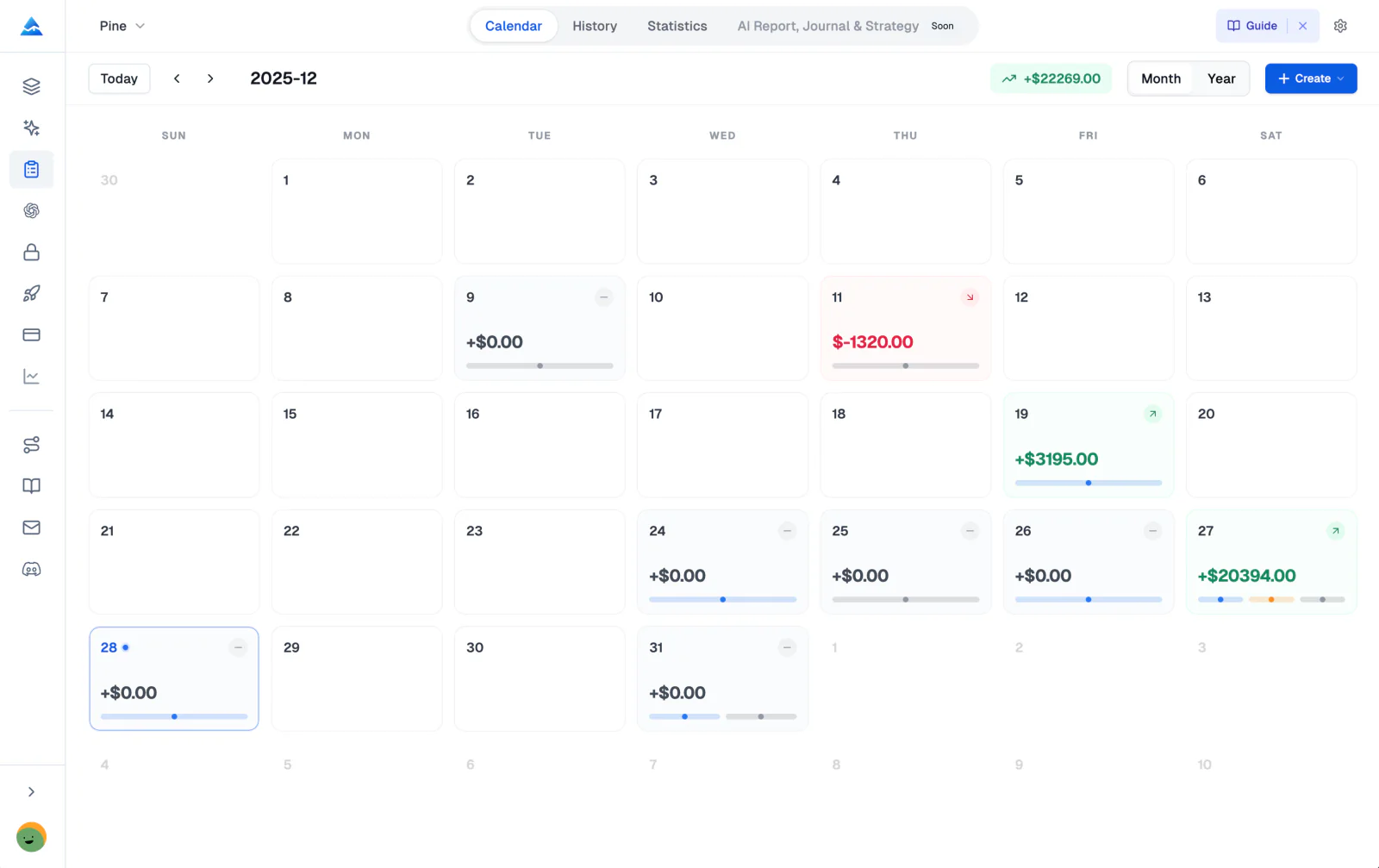
Trading Journal Features
Everything you need to master your trading
From multi-account support to detailed performance metrics, our trading diary gives you the clarity to actually improve. I've tested the strategy tags across both swing and intraday setups, and I found that filtering by setup tag immediately highlighted which setups actually made money versus which ones gave profits back.
- Multi-Journal Architecture
- A journal is only as good as the way it organizes your data. Create independent journals for different accounts, strategies, or capital sources, each with its own settings and fully isolated data.
- Trading Calendar View
- Visual timeline of your trading history. Quickly see daily PnL performance, trade counts, and journal markers at a glance.
- Advanced Analytics
- Full statistics with Win Rate, Profit Factor, Sharpe Ratio, Sortino Ratio, Max Drawdown, and detailed performance charts.
- Partial Close Support
- Full support for scaling out of positions. Track multiple exit points for a single trade with automatic weighted average calculations.
- Capital Management
- Track deposits, withdrawals, and initial capital to monitor your true equity curve and ROI performance over time.
- Privacy & Security
- Your trading data is encrypted in the cloud with AES-256. Only you can read your records, and we never sell or share them.
Advanced Trading Analytics & Performance Tracking
Visualize your performance
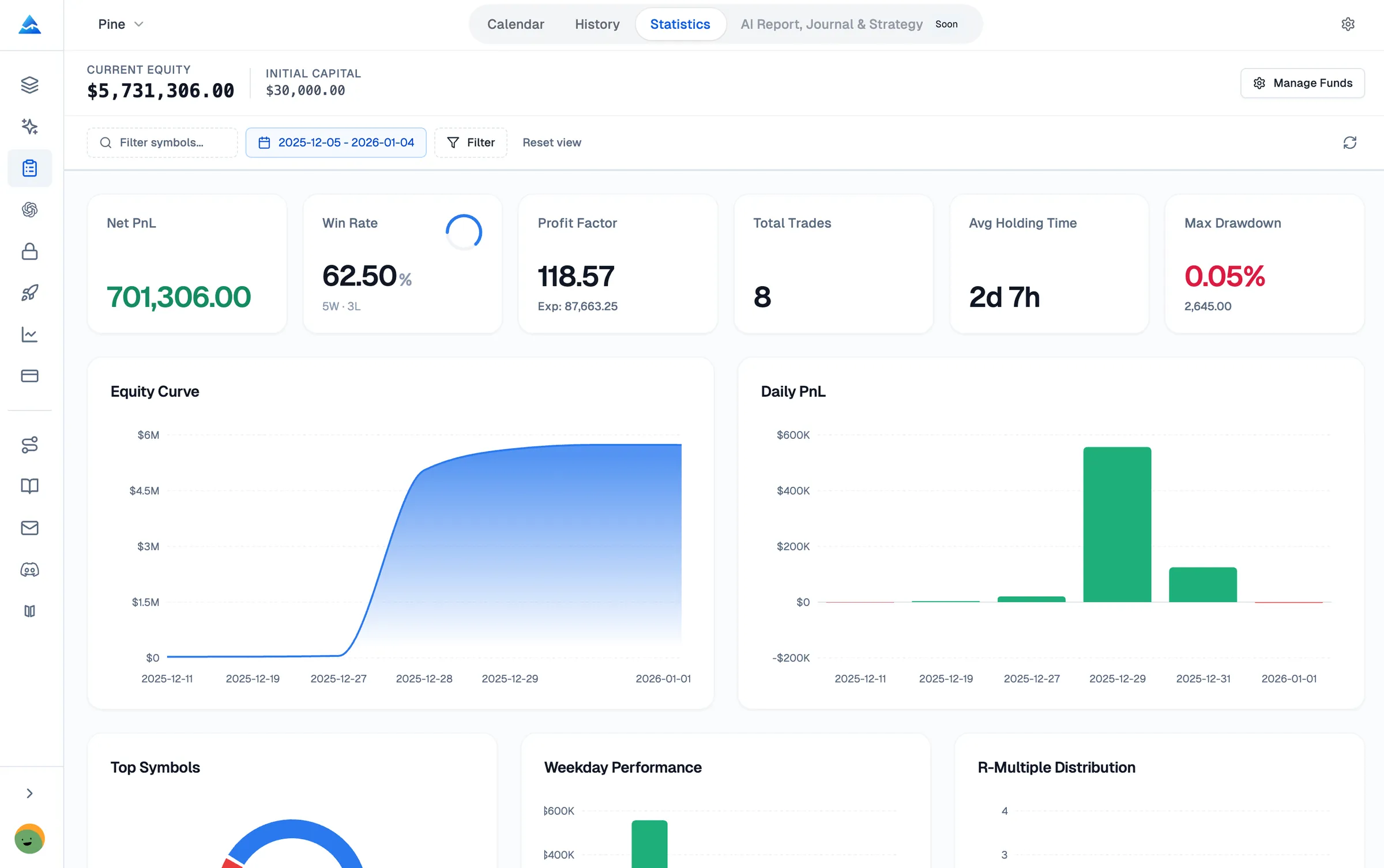
The Statistics module turns your raw trade data into something you can act on. See your strengths and weaknesses laid out in clear analytics charts and performance metrics.
- Net PnL & Win Rate: Track your profitability and consistency.
- Profit Factor: Measure the efficiency of your strategy.
- Daily PnL Chart: Visual bar chart of your daily performance.
- Tag Performance: See which setups generate the best results.
Fast Trade Logging & Tracking
Creating and Editing Trades
The trade creation interface follows the principle of minimal input. You only need to enter the essential information, and the trade tracker handles the calculations automatically.
Honestly, I tested the auto-calculation on a few random trades from my broker history and the numbers matched every time. No rounding errors, no manual formula debugging.
- Auto-Calculations: Position Size, PnL, ROI, and R-Multiple are calculated automatically.
- Smart Fields: Optional fields for Capital Used, Risk Amount, and Tags.
- Plan Notes: Record your entry reasoning and market analysis.
New Modules
Beyond trade logging: a complete trading system
Four modules that turn your journal from a simple trade log into a full performance improvement system.
Strategies
Define. Track. Optimize.
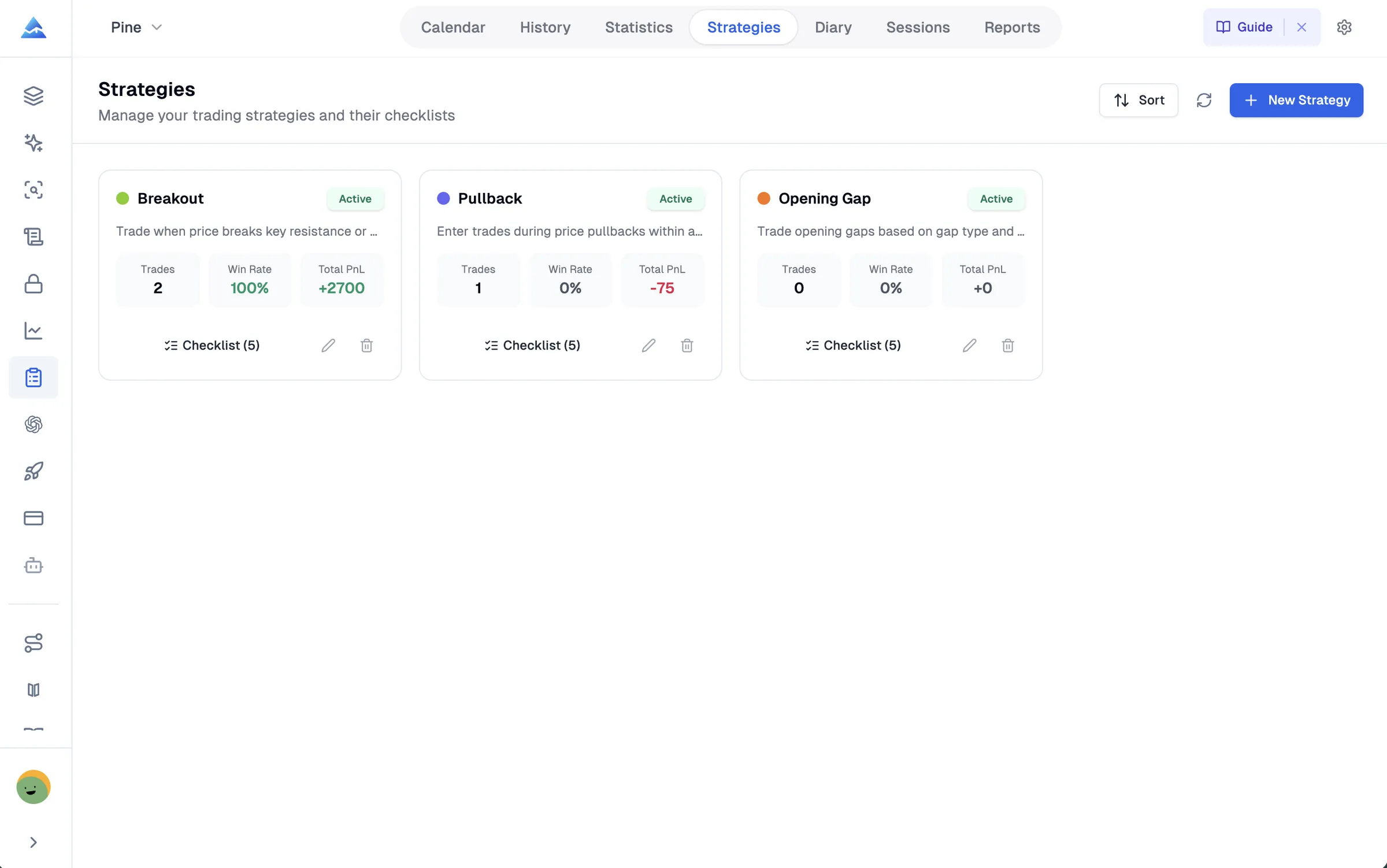
Create structured trading strategies with pre-trade checklists, entry/exit rules, and performance tracking. Know exactly which setups make you money and which ones to cut.
- Pre-trade checklists to enforce discipline
- Per-strategy Win Rate and Profit Factor
- Color-coded strategy tags on every trade
Diary
Reflect. Learn. Grow.
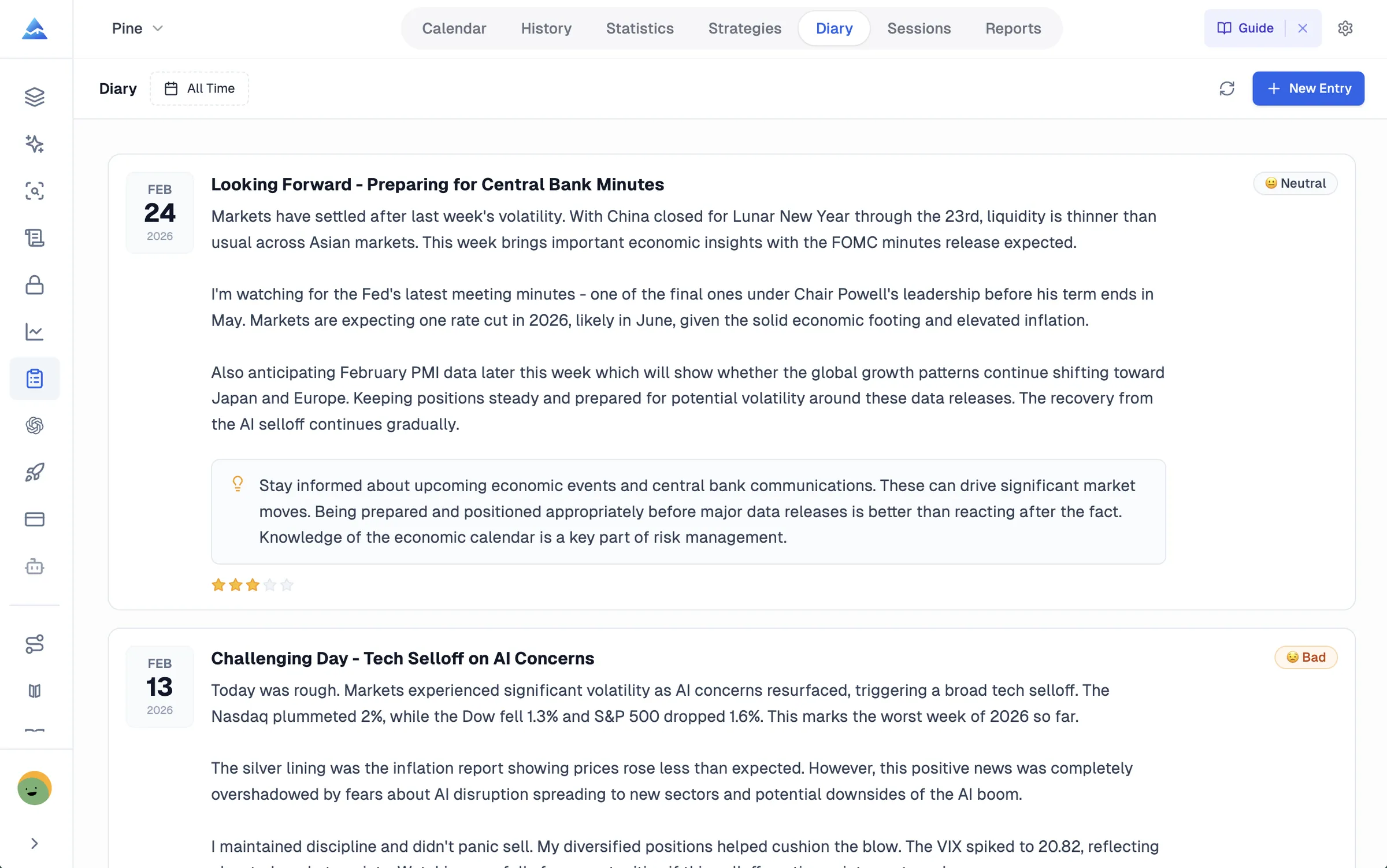
Capture daily reflections with mood tracking, plan adherence ratings, and lessons learned. Build the self-awareness that separates consistent traders from gamblers.
- Daily mood and confidence tracking
- Lessons learned and plan adherence
- Screenshot attachments for chart analysis
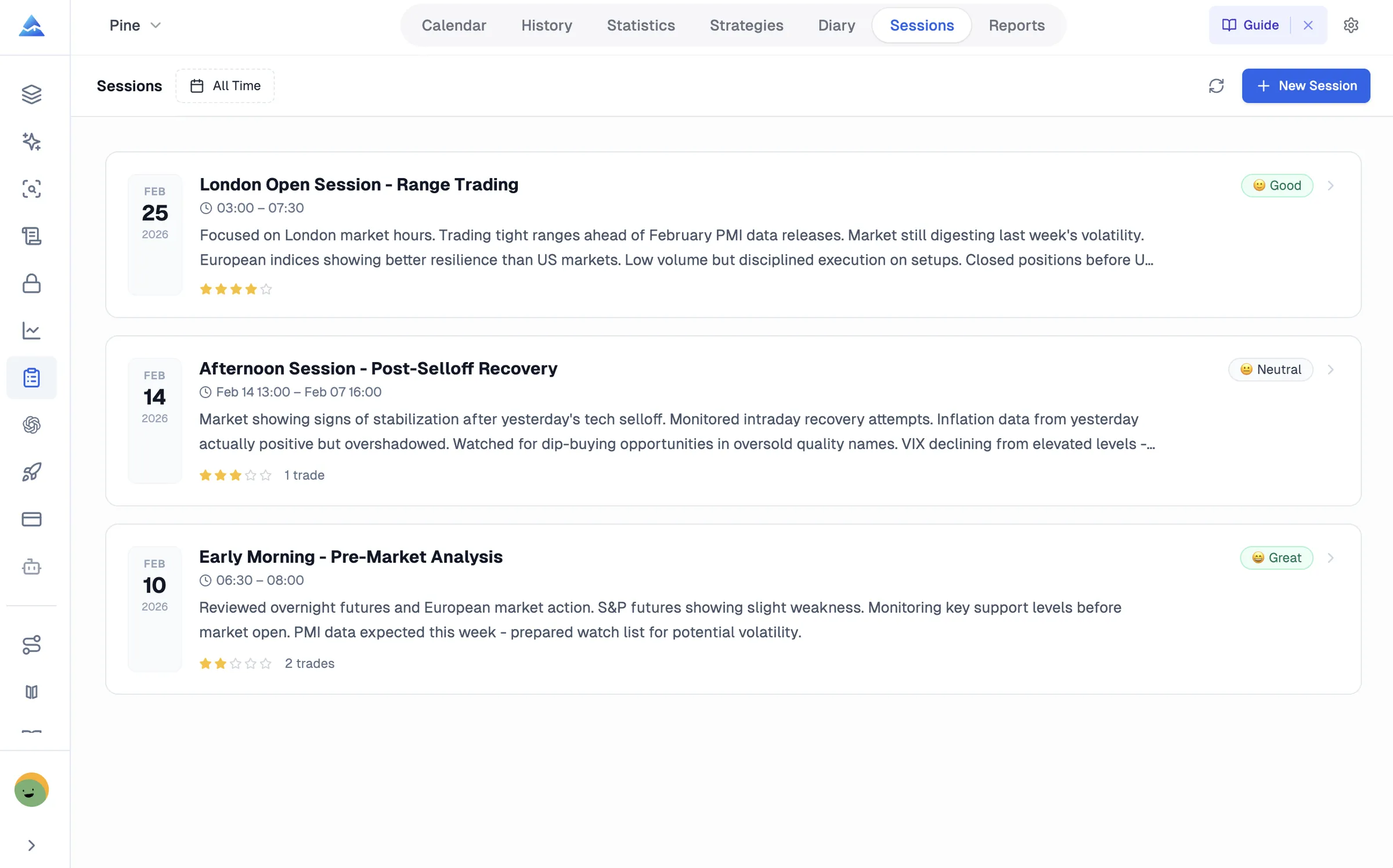
Sessions
Structure your trading day.
Organize trades into time-based sessions: London Open, NY Session, or your own custom windows. See which sessions you trade best in and when to sit out.
- Custom session time windows
- Per-session PnL and trade aggregation
- Session mood and performance rating
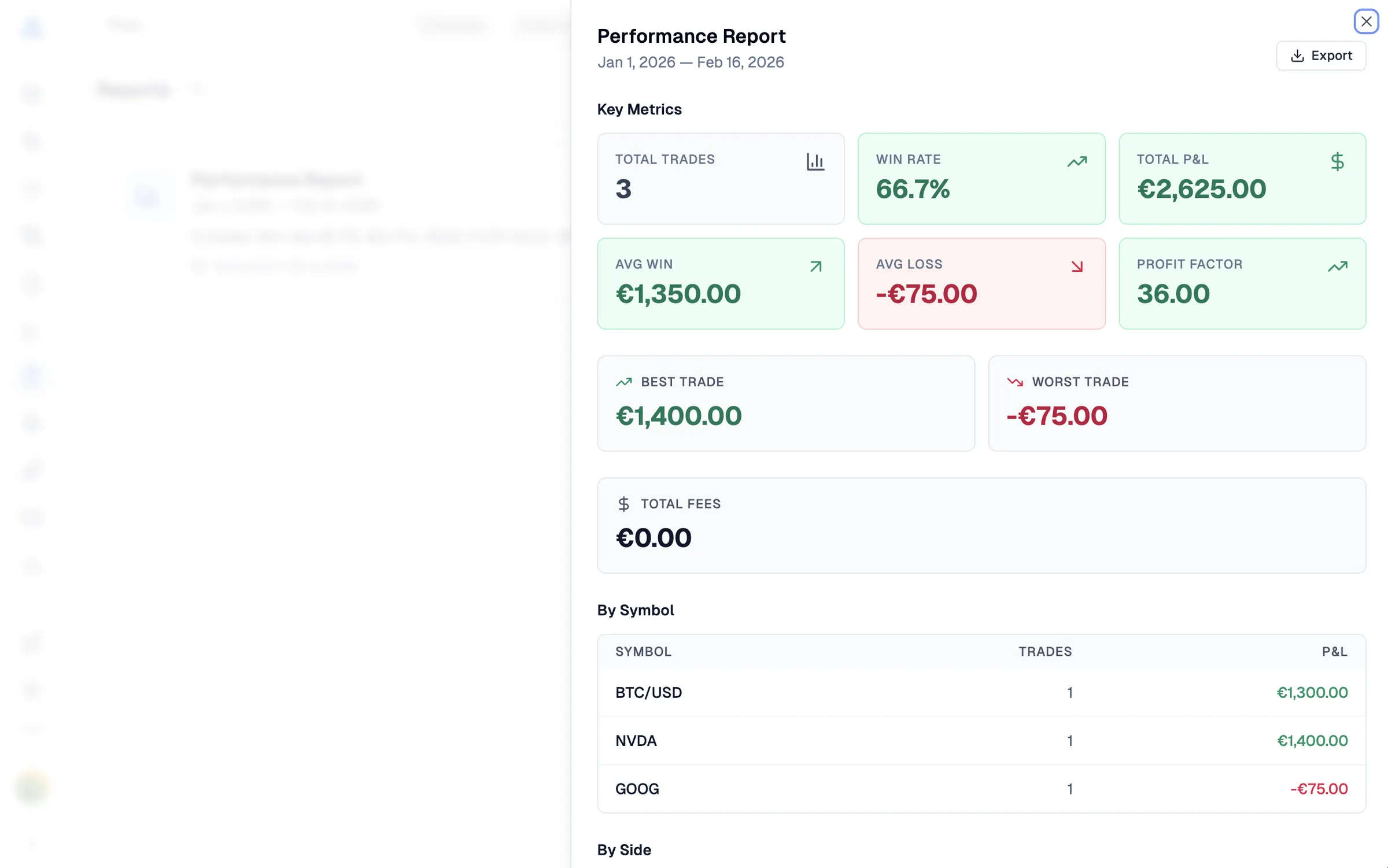
Reports
Weekly and monthly performance reviews.
Auto-generated performance reports that break down your results by symbol, side, and strategy. Spot patterns, track progress, and make data-driven adjustments.
- Weekly and monthly report generation
- Breakdown by symbol, side, and strategy
- Best/worst trade and profit factor analysis
Why You Need a Trading Journal
Professional traders don't rely on memory or gut feeling. They use an online trading journal to track every trade, spot patterns, and keep refining their strategies. From my experience, keeping a journal in Excel or Notion works at first, but neither calculated my Sharpe ratio or Win Rate automatically. I tried spreadsheets for six months before switching, and automating the math changed how I read my own performance.
Track Your Progress with Trading Analytics
Without a trade tracker, you're flying blind. An automated trading journal records every entry, exit, win, and loss, giving you objective data to measure your performance over time. See your win rate, profit factor, and risk-adjusted returns. Pair it with our backtest report tool to dig deeper into strategy-level performance, or check macro order flows and sentiment on our market insights dashboard before entering positions.
Pineify vs Google Sheets: What You Get
| Feature | Pineify | Google Sheets |
|---|---|---|
| PnL auto-calculation | Automatic | Manual formulas |
| Win Rate / Profit Factor | Real-time | Must calculate |
| Sharpe / Sortino Ratio | Automatic | Complex formulas |
| Pre-trade checklists | Built-in | Not available |
| Partial close tracking | Auto-weighted | Error-prone |
| Cloud sync + encryption | AES-256 | Manual backup |
Multi-Account Trading Journal for Diverse Portfolios
Trading stocks, crypto, forex, and options across multiple brokers? Our multi-account trading journal keeps everything organized. Try our dedicated crypto trading journal or options trading journal for asset-specific tracking with centralized analytics. Use our chart analysis tool to compare your journal entries against actual price action.
Build Discipline and Reduce Emotional Trading
Keeping a trading diary forces you to reflect on your decisions, not just your results. Record your pre-trade plan, your emotional state, and your reasoning. Run your journal data through our strategy optimizer to find which setups actually perform best. Need a quick start? Browse our trading journal examples or download a free Excel trading journal template.
Supported Markets & Instruments
Pineify's trading journal software supports all major asset classes and trading styles:
- Stocks & Equities
- Cryptocurrency & Digital Assets
- Forex & Currency Pairs
- Options (Calls & Puts)
- Futures & Commodities
- Day Trading, Swing Trading & Long-term Investing
Buy Once. All Tools. Forever.Start With Any Plan. Upgrade Anytime.
One-time payment · No subscriptions · Lifetime access
Plus
AI usage included
- AI credits
- 500/ month
- Advanced Model
- 100msgs / 5h
- AI Chart Analysis
- 2/ day
Advanced Model messages use no AI credits.
Core tools
- Coding AI Agent
Multiple platforms · Knowledge Base, Auto Fix Error & Memory
- Visual Pine Script Editor
- Exclusive PineifyGPT access
- 18 premium scripts
Also included
- 1 month Wundertrading Pro
Included gift · Regular price $49
Advanced
AI usage included
- AI credits
- 1,000/ month
- Advanced Model
- 200msgs / 5h
- AI Chart Analysis
- 5/ day
Advanced Model messages use no AI credits.
Everything in Plus, plus:
Added in Advanced
- AI Finance Agent
- AI Stocks & Options PickerNew
- Strategy Optimizer Extension
- Backtest Report Deep Report
- Trading Journal
Invite-only indicator
Expert
AI usage included
- AI credits
- 3,000/ month
- Advanced Model
- 600msgs / 5h
- AI Chart Analysis
- 20/ day
- Extra AI Credits
- 10,000creditsNever expires
Advanced Model messages use no AI credits.
Everything in Advanced, plus:
Added in Expert
- Market InsightsHot
Options Flow, Opportunities, Dark Pool, Market Tide & more
- Market ScreenerNew
- Analyst RatingsNew
- MCP Access for AI Agents
- AI Trading Agent
- AI Daily Portfolio Report
- Access Mobile App
Also included
- Request custom indicators
- Priority access to new features
- Lifetime feature updates

Related Trading Journal Tools
Crypto Trading Journal
Free crypto trading journal for Bitcoin, Ethereum, and altcoins. Track P&L, exchange fees, funding rates, leverage, and network costs. Export CSV.
Options Trading Journal
Free options trading journal to log multi-leg trades, track win rate, P&L, and strategy performance. Supports covered calls, spreads, iron condors, and more.
Trading Journal Examples
Explore real trading journal examples for day trading, swing trading, forex, crypto, and options. View sample trade logs with performance metrics and takeaways.
Trading Journal Template for Excel
Download a free trading journal template for Excel with auto-calculating formulas. Track P&L, win rate, and R-multiple for stocks, forex, crypto, and day trading.
Google Sheets Trading Journal Template
Download a free Google Sheets trading journal template. Customize fields for stocks, forex, or crypto. Track P&L, setups, and emotions with auto-calculating formulas. Works with Excel too.
Trading Journal Spreadsheet
Free multi-sheet trading journal spreadsheet. Log trades, view daily and monthly summaries, track P&L, win rate, R-multiples, and export as Excel or CSV.
Frequently Asked Questions
Clear, direct answers about Pineify's trading journal software, supported markets, and trade analytics.
What is a trading journal and why do I need one?
A trading journal is a systematic log and performance analytics software that records executed trades, entry/exit rules, risk metrics, and psychological notes. It helps you identify behavioral patterns, spot leaks in your strategy, and objectively measure your edge without relying on guesswork or memory.
Can I import trades from my broker automatically?
Not yet. For now, Pineify uses manual trade logging or CSV file import. Automated broker API synchronization is on our roadmap but is not available today. When released, broker auto-sync will be included in your plan without additional monthly charges.
Is Pineify Trading Journal free?
No. The Trading Journal is part of our Advanced plan at $149/year, and there is no permanent free tier for the journal module. Every plan includes a 14-day money-back guarantee so you can test it risk-free. You can also export your data anytime.
Can I use Trading Journal with my AI agent?
Yes. On the Expert Plan, connect any MCP-compatible AI agent using your Pineify MCP token. Nine dedicated Journal tools enable your agent to read logs, create and update trades, record partial closes, write daily reviews, and track capital adjustments without direct broker trade execution.
Does the trade tracker support partial exits and position scaling?
Yes. You can add multiple exit points for a single trade. The system automatically recalculates remaining position size, weighted average exit price, and realized PnL. In my testing, scaling out of SPY and crypto positions across multiple limit orders worked without manual formula adjustments.
Can I track multiple accounts and different asset classes?
Yes. Pineify's Multi-Journal Architecture lets you create isolated journals for separate broker accounts, prop firm challenges, or asset classes including stocks, crypto, forex, and options. Each journal keeps independent capital and performance metrics.
What performance metrics does the journal calculate?
The analytics engine automatically tracks Net PnL, Win Rate, Profit Factor, Sharpe Ratio, Sortino Ratio, Maximum Drawdown, and R-Multiple distribution. You can filter by date range, setup tag, symbol, or session to evaluate your consistency.
Can I export my trading journal data?
Yes. Pineify allows you to export your entire trade history and analytics reports to CSV format anytime. You maintain full ownership of your data for external analysis in Excel, Python, or tax reporting.