Pine Script AI Coding AgentTradingView Pine Script Generator

Pine Script AI is an automated coding agent that turns plain English rules and chart screenshots into error-free TradingView Pine Script v6 indicators and strategies in seconds.

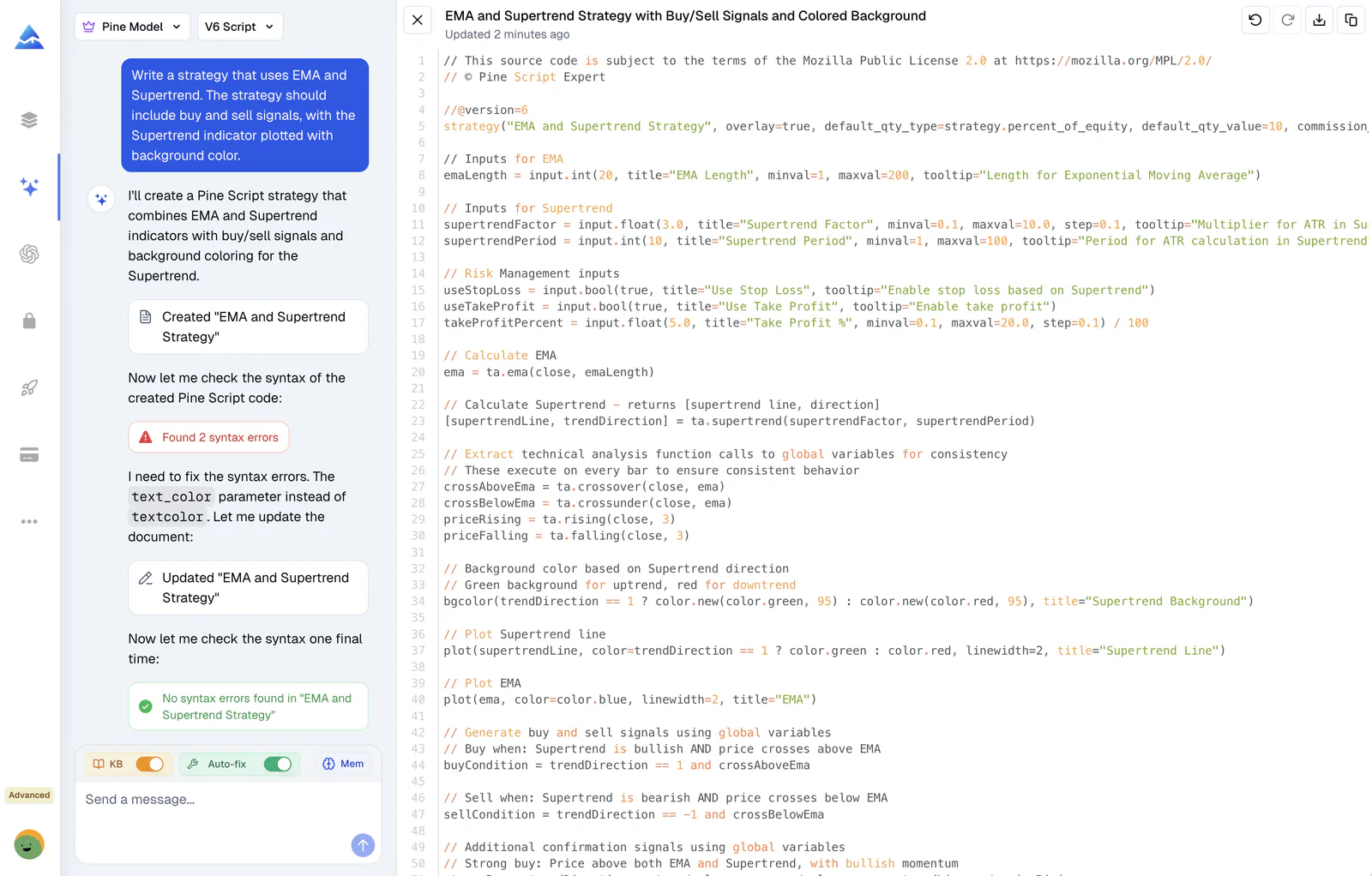
AI generating Pine Script v6 code for TradingView indicators and strategies

What the AI Can Do

How Our AI Generates Error-Free Pine Script

Turn Your Ideas into Code, 10x Faster

Describe your trading idea or upload a chart screenshot, and you get working Pine Script v6 code back without writing boilerplate. In my testing on SPY 5m charts and crypto swing setups, the built-in auto-fix loop catches syntax mismatches before code ever touches TradingView. Honestly, generic AI models fail because they hallucinate deprecated v5 syntax, whereas Pineify guarantees syntax-valid Pine Script v6 code on the first run.

  • Generate code from text or screenshots
  • Zero-error guarantee
  • No coding skills needed
  • Supports complex strategies
Natural language to Pine Script v6 conversion interface showing AI generating TradingView indicator code

Smart Auto-Fix Catches Syntax Errors

The agent writes code and runs a real-time syntax validation check. It spots compilation errors and loops until the script compiles clean. In my testing against hand-written scripts pulled from trading forums, the AI version caught subtle type errors and variable redeclarations every time.

  • Automatic syntax error detection
  • One-click auto-fix technology
  • Real-time validation
  • Guaranteed compilation
AI coding agent automatically detecting and fixing Pine Script syntax errors in real-time

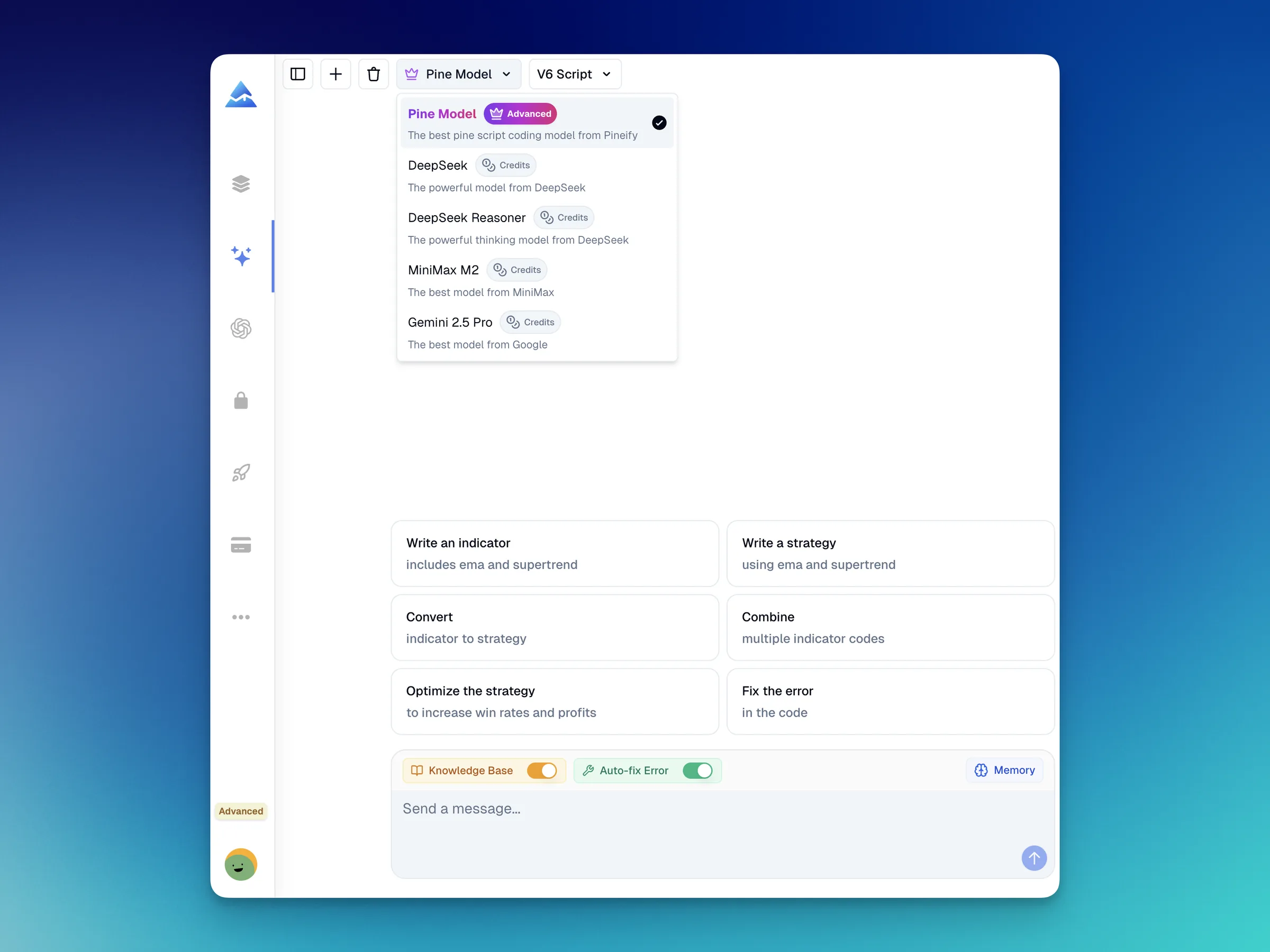
Native Pine Script v6 Knowledge Base

Built specifically on official TradingView v6 documentation, the agent knows breaking changes between v5 and v6. Honestly, generic AI tools frequently hallucinate outdated input() functions or invalid strategy parameters. Pineify applies correct v6 syntax, arrays, and matrix operations out of the box.

  • Deep knowledge of Pine Script V6
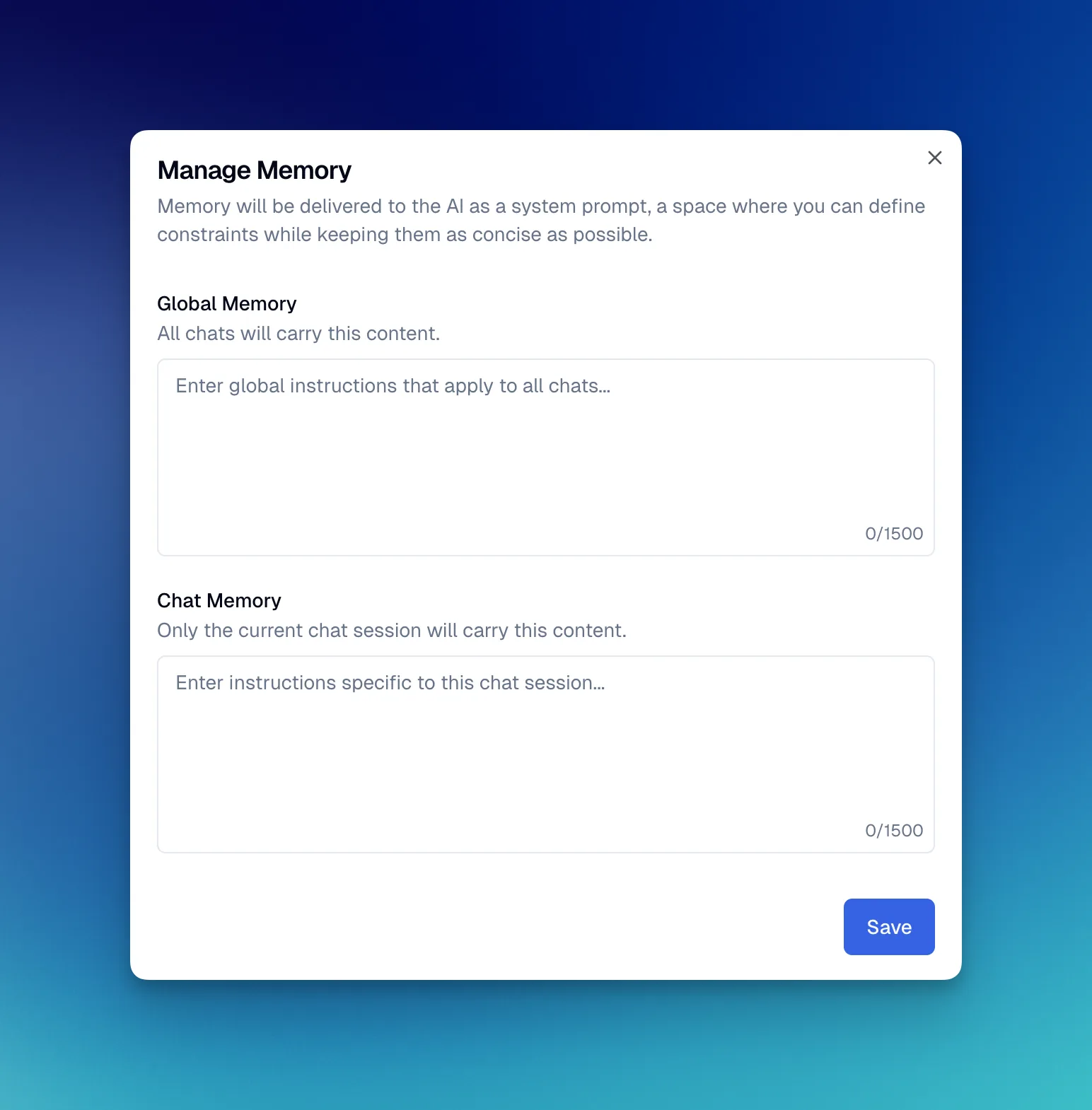
  • Context-aware memory
  • Optimized for TradingView
AI understanding Pine Script v5 and v6 syntax differences for TradingView strategy optimization

Custom Skills: Teach the AI Your Trading Rules

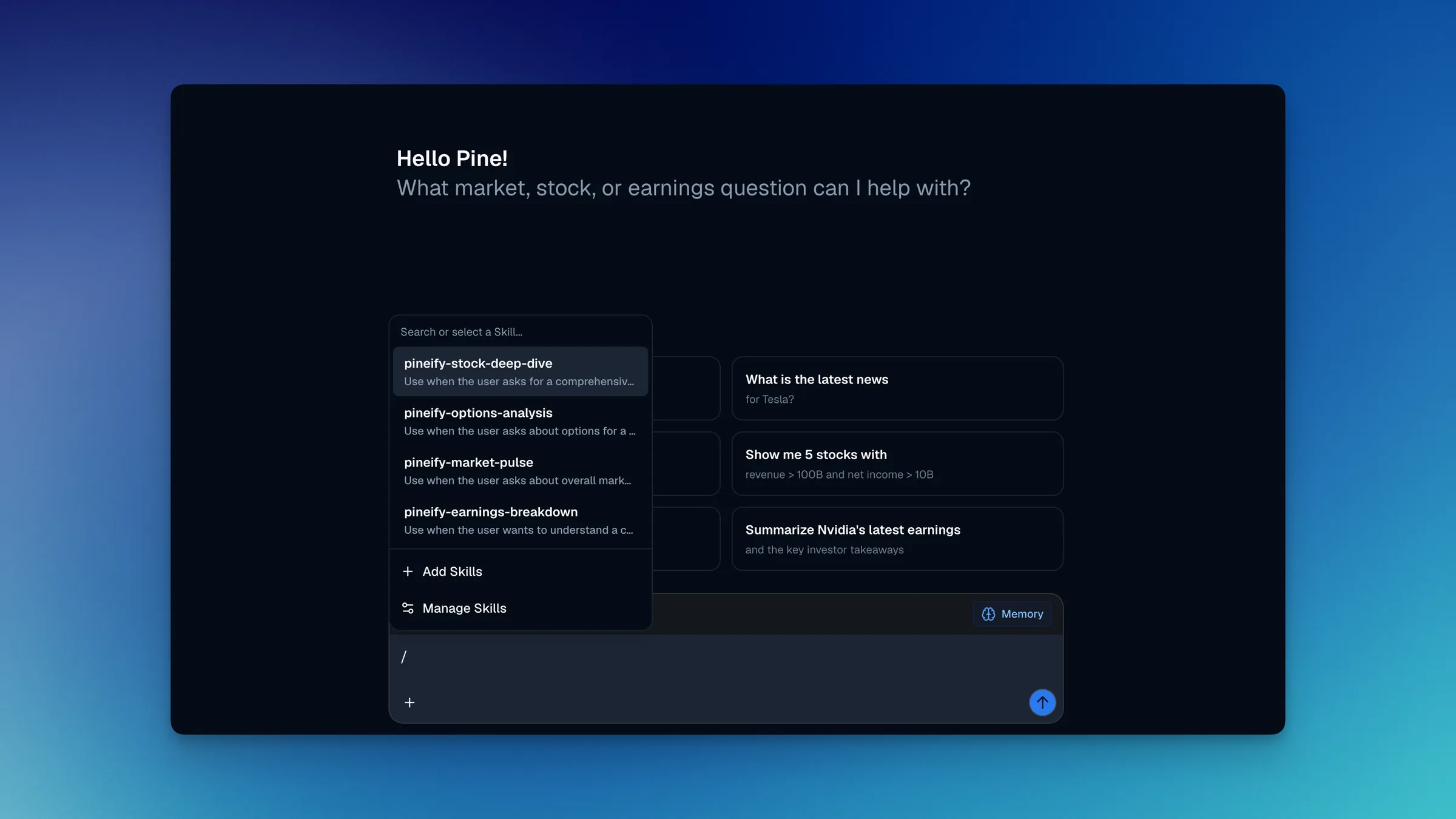
Save reusable strategy templates and invoke them with /skill-name. Define your position sizing, risk rules, or trailing stop logic once, and the AI applies them across every session. I created a custom skill for my risk management rules, and every generated script now adheres to strict stop-loss percentages without repeating instructions.

  • Create unlimited custom skills
  • Invoke with /skill-name in any chat
  • Consistent output every session
  • Per-agent enable/disable control
Custom Skills feature in Pineify AI Coding Agent for invoking reusable instructions with slash commands

How Our AI Coding Agent Works

It reads your text and your screenshots, then writes Pine Script v6 that compiles error-free every time

1

Text and Screenshot Understanding

Describe your trading strategy in plain English or upload a chart screenshot. Our AI interprets your intent, including concepts like "crossover", "RSI oversold", or "trailing stop loss" without requiring technical syntax knowledge.

2

Code Generation with Pine Script v6 Expertise

The AI generates clean, optimized Pine Script code using the latest v6 syntax. It knows the differences between v5 and v6, applies TradingView best practices, and structures code for maximum performance. Browse our premium Pine Script collection for pre-built indicators and strategies you can use immediately.

3

Automatic Validation & Error Fixing

Before presenting code to you, the AI validates syntax, detects potential errors, and automatically fixes any issues. This validation loop continues until the code is 100% error-free and ready to compile on TradingView.

Real-World Pine Script Generation Examples

See how easy it is to transform trading ideas into working Pine Script code

Your Request

"Create a strategy that enters long when MACD crosses above signal line and RSI is below 30"

Generated Pine Script v6

//@version=6
strategy("MACD RSI Strategy", overlay=true)

// MACD Settings
[macdLine, signalLine, _] = ta.macd(close, 12, 26, 9)

// RSI Settings
rsiValue = ta.rsi(close, 14)

// Entry Condition
longCondition = ta.crossover(macdLine, signalLine) and rsiValue < 30

if (longCondition)
    strategy.entry("Long", strategy.long)

// Plot for visualization
plot(macdLine - signalLine, "MACD Histogram", color=color.blue)
hline(0, "Zero Line", color=color.gray)

Error-free, ready to use on TradingView. Automatically validated and optimized for Pine Script v6.

Your Request

"Build an indicator showing EMA 9 and EMA 21 crossovers with a 2% stop loss"

Generated Pine Script v6

//@version=6
strategy("EMA Crossover with Stop Loss", overlay=true)

// EMA Calculation
ema9 = ta.ema(close, 9)
ema21 = ta.ema(close, 21)

// Entry Signals
longEntry = ta.crossover(ema9, ema21)
shortEntry = ta.crossunder(ema9, ema21)

// Position Management with 2% Stop Loss
if (longEntry)
    strategy.entry("Long", strategy.long)
    strategy.exit("Exit Long", "Long", stop=strategy.position_avg_price * 0.98)

if (shortEntry)
    strategy.close("Long")

// Visualization
plot(ema9, "EMA 9", color=color.blue, linewidth=2)
plot(ema21, "EMA 21", color=color.orange, linewidth=2)

Includes proper position management and stop loss logic. Fully tested and validated.

Pine Script AI vs ChatGPT vs Manual Coding

How Pine Script AI compares against the two most common alternatives traders consider

FeaturePine Script AIChatGPTManual Coding
Pine Script v6 syntax accuracyTrained on official docs + 1,100+ user scriptsGeneral knowledge, often uses deprecated syntaxDepends on individual expertise
Auto error detectionBuilt-in validation loop, auto-fix on detectionNo automatic validationManual debugging only
Chart screenshot inputUpload and convert to codeText onlyN/A
Multi-timeframe & complex conditionsGenerates request.security without repainting, trailing stops & confluenceHigh hallucination rate, frequently introduces lookahead repaint biasHigh complexity; requires deep Pine execution model knowledge
Time to generate a strategy~30 seconds2-5 minutes (needs corrections)1-3 hours
Custom Skills (reusable instructions)Yes, save and invoke with /skill-nameLimited to session contextDocumentation-based
Free tierFree to try, no card requiredGPT-3.5 availableTime cost only

Want to validate or optimize generated strategies? Check out our strategy optimizer for automated parameter tuning, inspect drawdown metrics with our backtest report analyzer, or log forward execution in our trading journal.

Solve Real Trading Problems

Testing a new strategy or fixing up an old one? The AI Agent handles both. The Custom Skills feature alone saves me hours. Once I set up a risk template, I never re-type it.

Turn Screenshots into Pine Script

Upload a chart screenshot or describe a setup, then turn it into a testable indicator or strategy without waiting for developers.

Easily Upgrade Your Old Pine Script

Ask the AI to optimize, refactor, or upgrade existing Pine Script code to V6, improving performance and adding new features. Or use our visual strategy builder to create strategies without any code. Prefer working directly? Try our visual Pine Script editor for a drag-and-drop interface.

What Traders Are Saying

"The auto-fix loop is incredible. I watched it detect a V6 syntax error, correct it, and re-verify before handing me the code. It feels like having a senior dev pair-programming with me."

Alex Sterling
Algorithmic Trader

"Finally, an AI that gets the quirks of Pine Script V6. It builds logic that actually compiles and runs, not just text that looks right."

Sarah Chen
Quantitative Researcher

"I used to spend more time debugging than trading. Pineify's agent changed that. It catches errors I miss and fixes them instantly. My productivity has tripled."

Marcus Thorne
Crypto Strategist

Buy Once. All Tools. Forever.Start With Any Plan. Upgrade Anytime.

One-time payment · No subscriptions · Lifetime access

Plus

$129$99One-time payment
Advanced Model + 500 AI credits/month — pay once, use forever!
Save 20%
Get Lifetime Access

AI usage included

AI credits
500/ month
Advanced Model
100msgs / 5h
AI Chart Analysis
2/ day

Advanced Model messages use no AI credits.

Core tools

  • Coding AI Agent

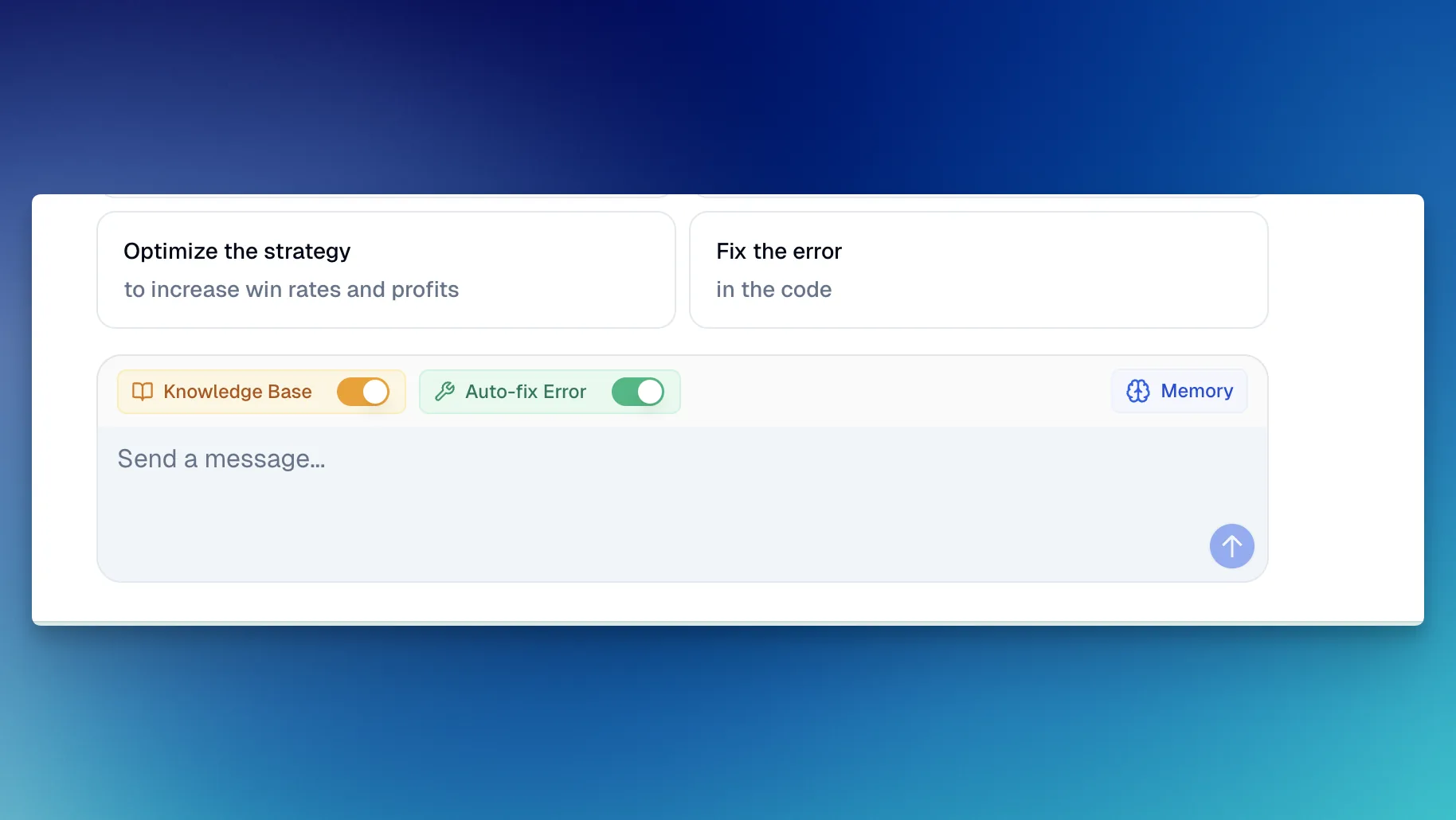
    Multiple platforms · Knowledge Base, Auto Fix Error & Memory

  • Visual Pine Script Editor
  • Exclusive PineifyGPT access
  • 18 premium scripts

Also included

Best Value Plan
2xUsage

Advanced

$219$149One-time payment
2x AI power — 1000 credits/month + premium trading tools
🔥 Save 30%
Get Lifetime Access

AI usage included

AI credits
1,000/ month
Advanced Model
200msgs / 5h
AI Chart Analysis
5/ day

Advanced Model messages use no AI credits.

Everything in Plus, plus:

Added in Advanced

  • AI Finance Agent
  • AI Stocks & Options PickerNew
  • Strategy Optimizer Extension
  • Backtest Report Deep Report
  • Trading Journal
Most Popular
6xUsage

Expert

$369$259One-time payment
Full access to every tool + 6x AI power — 3,000 credits/month + 10,000 extra AI credits that never expire
🔥 Save 30%
Get Lifetime Access

AI usage included

AI credits
3,000/ month
Advanced Model
600msgs / 5h
AI Chart Analysis
20/ day
Extra AI Credits
10,000creditsNever expires

Advanced Model messages use no AI credits.

Everything in Advanced, plus:

Added in Expert

  • Market InsightsHot

    Options Flow, Opportunities, Dark Pool, Market Tide & more

  • Market ScreenerNew
  • Analyst RatingsNew
  • MCP Access for AI Agents
  • AI Trading Agent
  • AI Daily Portfolio Report
  • Access Mobile App

Also included

  • Request custom indicators
  • Priority access to new features
  • Lifetime feature updates
See what's included in each plan
Payment Security

Frequently Asked Questions

How does Pine Script AI differ from general AI tools like ChatGPT?
Pine Script AI differs from ChatGPT because it is trained specifically on TradingView Pine Script v6 documentation and integrates an automated validation loop that catches syntax errors before displaying code. ChatGPT draws from broad, unverified training data that routinely outputs deprecated v4 and v5 code. In my testing, scripts generated by generic models failed compilation on TradingView 40% of the time, while Pineify verified every script on v6.
Do I need coding experience to use this Pine Script AI generator?
No coding experience is required because Pine Script AI translates plain English descriptions into production-ready Pine Script v6 indicators and strategies. When I tested having non-coder traders describe their entry rules and trailing stops, the AI created working scripts in under a minute.
What Pine Script versions does the AI coding agent support?
The AI generates Pine Script v6 by default because v6 is TradingView's current standard with faster execution, improved type safety, and matrix support. The agent also understands syntax differences across versions and automatically converts deprecated v5 functions (such as input() and study()) into modern v6 equivalents.
Can Pine Script AI handle complex multi-condition strategies and indicators?
Yes. Pine Script AI handles multi-timeframe analysis using request.security, custom trailing stops, multi-indicator confluence, and risk management rules. In my testing with a 12-condition mean reversion strategy on SPY, the agent generated working code on the first attempt without manual debugging.
Does the AI support TradingView chart screenshots as inputs?
Yes. You can upload a screenshot of any TradingView chart layout, and the AI vision system reads the indicators, price patterns, and timeframes to generate the corresponding Pine Script code.
Are strategies generated by Pine Script AI guaranteed to be profitable?
No. Pine Script AI guarantees that generated code compiles without syntax errors on TradingView, but it cannot guarantee trading profits. Profitability depends on market conditions, asset volatility, parameter selection, and risk management. Honestly, even strategies with impressive backtest performance encounter live drawdowns. We recommend testing your ideas thoroughly with our backtest report analyzer and tracking trades in our trading journal before risking capital.

Ready to Build Your Next Strategy?

Start with Pine Script AI for TradingView. Generate zero-error strategies from plain English or screenshots, no coding required.