EX5 to MQL5 Converter: Why Decompilation Fails & the Smarter Alternative

· 10 min read
Pineify Team
Pine Script and AI trading workflow research team

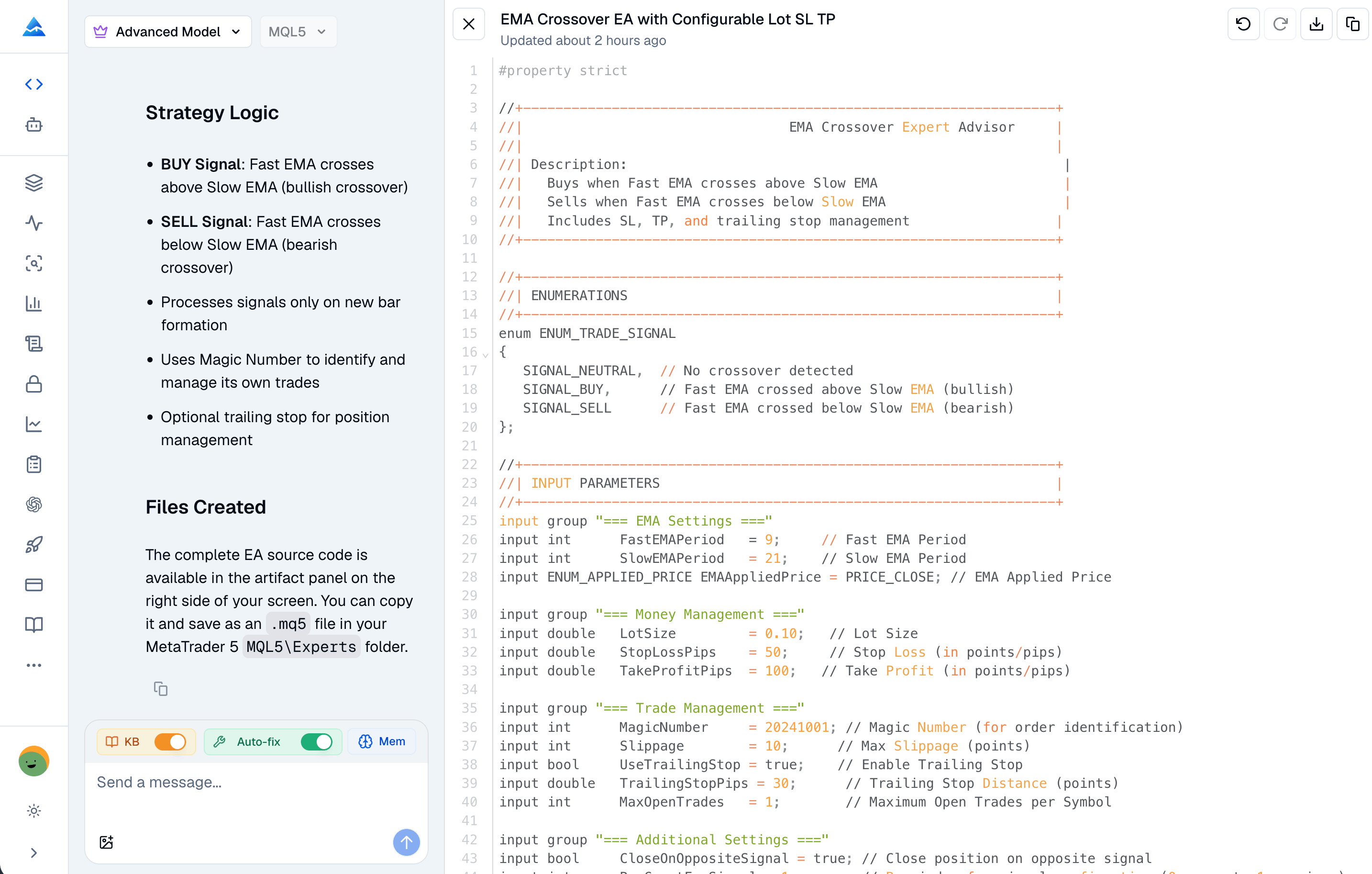
If you’ve ever searched for an EX5 to MQL5 converter, you’re definitely not alone. Every month, thousands of MetaTrader 5 traders and developers try to find one — hoping to recover lost source code, reverse-engineer a competitor’s strategy, or tweak an Expert Advisor they don’t have the original files for. If you're interested in understanding common trading strategies, you might find our guide on the Fisher Transform Strategy helpful. But here’s the truth most guides won’t tell you upfront: turning an EX5 back into readable MQL5 is technically impossible in any practical sense, legally risky in most cases, and almost never gives you useful code.

This article explains exactly what an EX5 file is, why real decompilation doesn’t work, what tools are out there (and why they fail), and — most importantly — how to get the custom MQL5 trading tools you actually need without breaking the rules or wasting time.


EX5 to MQL5 Converter: Why Decompilation Fails & the Smarter Alternative

See What Wall Street Sees — Before Everyone Else

· 10 min read
Pineify Team
Pine Script and AI trading workflow research team

I used to piece together options chatter, delayed headlines, and single-purpose data feeds until the move was already obvious. That workflow was slow, expensive, and easy to misread. When I started routing everything through Pineify Market Insights, the difference was immediate: one workspace where I could watch large options prints, sector-level sentiment, off-exchange block flow, and congressional disclosures without tab-hopping.

Pineify Market Insights is built for traders who want institutional-style context inside a single dashboard. The suite tracks more than 50,000 options trades per day, monitors net premium across 11 sector ETFs, follows 535 or more U.S. Congress members and their disclosures, and keeps Options Flow and Dark Pool streams responsive with under one second of latency during active sessions. This article walks through what that means in practice, module by module, and how I use the workflow end to end.

BBTrend Indicator: What It Is and How to Actually Use It

· 10 min read
Pineify Team
Pine Script and AI trading workflow research team

Ever wonder why some traders seem to catch trends before everyone else? They might be using the BBTrend indicator - John Bollinger's clever twist on his famous Bollinger Bands. If you're tired of getting whipsawed by false signals and want something that actually shows you what the market is doing, let me break down this indicator in plain English.

BBTrend Indicator on TradingView

Best AI Investing Assistant: Pineify AI Finance Agent - Complete Guide

· 13 min read
Pineify Team
Pine Script and AI trading workflow research team

Feeling overwhelmed by your investing routine? You’re not alone. Between the constant stream of data, the handful of apps that never sync, and the limited hours in a day, it’s easy to feel like you’re always a step behind. What you need isn’t just another number-cruncher—it’s a tool that gets the market, explains what’s happening in plain language, and works right where you already trade.

In 2026, one tool is becoming the go-to for active traders and DIY investors looking for deep, institutional-style research without the huge cost: the Pineify AI Finance Agent.


Best AI Investing Assistant: Pineify AI Finance Agent - Complete Guide

Best Algo Indicator TradingView: A Complete Guide to Algorithmic Trading Tools

· 16 min read
Pineify Team
Pine Script and AI trading workflow research team

Algorithmic trading indicators have really changed the game for traders using TradingView. They take the guesswork and emotion out of the equation by offering automated signals, real-time analysis, and powerful tools that used to be found mostly in professional setups. So, what makes for the best algo indicator on the platform? It comes down to a few key things: it needs to be reliable, straightforward to use, and flexible enough to work whether you're making quick trades or planning moves over days or weeks. Most importantly, it should give you clear, actionable signals backed by solid technical evidence.

Best Algo Indicator TradingView: A Complete Guide to Algorithmic Trading Tools

Best Backtesting Software for Futures Trading: Top Platforms Compared

· 16 min read
Pineify Team
Pine Script and AI trading workflow research team

Picking the right backtesting software for futures trading is a game-changer. It’s what separates a strategy that’s been proven from one that’s just a guess. Think of backtesting as your strategy’s trial run—a way to put your ideas through decades of market history, checking every entry, exit, and risk rule, long before you risk real money. For those developing automated systems, understanding how to Build High-Performing AI Trading Strategies is a critical next step after mastering backtesting fundamentals.

It doesn’t matter if you're trading the E-mini S&P, crude oil, or micro Treasuries; your software needs to get the details right. We're talking about precise tick data, realistic fills, and honest modeling of costs like slippage and commissions. Many platforms make results look better than they really are by skipping these gritty details.

This rundown will help you find the right fit for how you trade, your tech comfort level, and what you’re willing to spend.


Best Backtesting Software for Futures Trading: Top Platforms Compared

Best Broker to Use on TradingView: Complete 2026 Guide for Traders

· 14 min read
Pineify Team
Pine Script and AI trading workflow research team

TradingView has completely changed the game for traders. Instead of just being a place for analysis, it lets you connect directly with trusted brokers, so you can move from spotting an opportunity to placing a trade without ever leaving your charts. Figuring out the best broker for you on TradingView really comes down to your personal style—what you like to trade, how you trade, and what you're comfortable paying in fees. For 2025, one name that keeps coming up as a top contender is Interactive Brokers, thanks to its rock-bottom fees, huge range of tradable assets, and powerful research tools. No matter if you're into forex, stocks, crypto, or futures, choosing the right broker that works with TradingView can make your whole trading process smoother and more effective.

Best Broker to Use on TradingView: Complete 2025 Guide for Traders

Best Browser for TradingView: Complete Guide to Optimal Trading Performance

· 18 min read
Pineify Team
Pine Script and AI trading workflow research team

Picking the right browser for TradingView isn’t just a minor detail—it can make your trading smoother, faster, and less stressful. While TradingView works in all the major browsers like Chrome, Firefox, Edge, and Safari, not all of them handle it the same way. The difference shows up when you need it most: when markets move fast, you have multiple charts open, or you're using complex indicators.

Think of your browser as the foundation your trading platform sits on. It needs to be solid and efficient. TradingView runs in your browser, which means it has to share your computer's resources with everything else you have open. A well-optimized browser makes sure TradingView gets the power it needs.

Your choice affects a few key things:

  • Speed and Responsiveness: This is crucial for seeing price updates and executing orders without frustrating lag.
  • Stability: The last thing you need is your browser crashing during a trading session.
  • Resource Management: Some browsers are better at handling the heavy graphics and real-time data that TradingView uses.

Modern browsers are essential because they support the latest web tech (like WebGL) that TradingView's charts rely on to be smooth and interactive. Getting this foundation right is a simple step toward a much better trading experience. For instance, knowing how to efficiently change time intervals on your charts can also significantly improve your workflow.

Best Browser for TradingView: Complete Guide to Optimal Trading Performance

Institutional-Grade Invite-Only Trading Indicator for TradingView

· 10 min read
Pineify Team
Pine Script and AI trading workflow research team

I spend most of my charting time inside TradingView, and the hardest part is rarely “finding an indicator.” It is deciding which signals deserve capital when several tools disagree. The invite-only script Pineify® - Signals & Overlays™ is positioned as an institutional-style overlay: buy and sell prompts, a trend cloud, and a volatility-aware stop framework that is meant to be read quickly under pressure. This article explains what that means in practice, how I interpret the visuals, and how I think about risk when any signal engine promises speed and clarity.

The product narrative on Pineify’s invite-only landing page emphasizes breadth across markets and timeframes, plus workflow steps that map directly onto how many discretionary traders operate: add the script, read the trend state, wait for confirmation, then anchor risk to an ATR-based line. None of that replaces judgment, account rules, or a personal trading plan. It is a lens, not a guarantee.

Pineify invite-only TradingView indicator showing buy and sell signals, trend cloud, and ATR stop line on a price chart