How to Backtest on Bookmap: Replay Mode Setup and Strategy Guide

Backtesting on Bookmap means using Replay Mode to test your trading ideas against historical data with full order flow, DOM, and liquidity heatmap visibility, not just price bars. Want to practice a strategy without risking real money? Bookmap's replay feature does exactly that. It's like having a time machine for the markets. Whether you're fine-tuning quick scalps or analyzing longer swings, learning to backtest on Bookmap gives you insight that standard candlestick charts can't match.
What Is Backtesting and Why Does It Matter?
Simply put, backtesting means running your trading idea against old market data to see how it would have played out. As the team at Bookmap puts it, it lets you check if a strategy holds up in a simulated setting before real money gets involved.
The logic is straightforward: if your approach worked well in the past, it might have a decent shot in the future. More importantly, backtesting shows you the numbers you need to know: your win rate, how much you could lose in a rough patch, and what you might expect to make per trade on average. I've run through enough replay sessions to know those stats alone won't save you, though - you also need to understand why price moved the way it did.
That's where Bookmap stands out. Most platforms only let you replay price movements. Bookmap's replay mode also includes the order flow, the live market depth (DOM), and those liquidity heatmaps. Your backtest doesn't just show you where price went - it helps you understand why it moved. I prefer this approach because I can spot hidden orders and liquidity shifts I'd otherwise miss on a standard chart. This depth of analysis works well alongside automated tools too, much like an AI Pine Script Generator for TradingView can turn a simple idea into a tested strategy without manual coding.
Getting to Know Bookmap's Replay Mode
Imagine going back to any trading day and watching it unfold second by second, with all the hidden details laid bare. That's what Bookmap's Replay Mode does. It's the core of their backtesting, letting you step back into historical market sessions as if you were trading live. You have full control - pause, rewind, or speed through the action - while seeing everything: price moves, the live order book, and shifts in buying and selling pressure.
Think about the difference between watching a highlight reel and a full game film. A standard candlestick chart is that highlight reel; it shows you where price went. Replay Mode gives you the full game film - it shows you why it moved. You can spot large hidden orders getting filled, see exactly when a big trader entered the market, and watch liquidity pools dry up. I've been caught off guard by these dynamics more times than I'd like to admit, and replay mode is how I finally started catching them.
Here's what you can do with Replay Mode:
- Play back any recorded market data. Speed it up to skim, or slow it down to study every tick.
- Watch the live order flow and the bid/ask ladder move, just like in real time, with the heatmap building as the replay progresses.
- Hit pause at any key moment - like a sudden spike or drop - to investigate the precise market behavior without pressure.
- Test a new trading idea against what actually happened in the past, with zero risk to your capital.
- Discover hidden support and resistance levels, or liquidity zones, you might have glossed over the first time.
Your Friendly Guide to Setting Up Bookmap for Backtesting
Want to test your trading ideas against what the market actually did yesterday, last week, or last month? Bookmap's replay feature handles that. But before you jump into backtesting, you need a bit of prep. Think of it like setting up a recording studio before you start filming. Here's exactly how to get everything ready.
Step 1: Hit Record First (This Is Non-Negotiable)
Here's the most important thing to know: Bookmap doesn't come with a library of old market data. You have to create your own. Every time you have Bookmap open and connected to a live market, you need to be recording.
Why this matters: without recorded data, replay mode has nothing to show you. I've seen traders spend hours setting up Bookmap only to realize they never turned recording on. To enable it, make sure the "Record Historical Data" checkbox is ticked in the startup settings when you launch the platform. What can go wrong: if you forget this toggle, your entire trading session is lost for future review. Run it for a few sessions, a whole day, or during a specific news event - whatever periods you think you'll want to study later.
Step 2: Switch Gears to Replay Mode
Once you've recorded some data and have those files saved on your computer, close Bookmap completely. Now reopen it. When the startup (Run Options) window appears, you'll see your choice: connect to a live exchange or broker, or choose "Replay Data."
Click "Replay Data." This launches Bookmap in a special offline environment where time is yours to control. You're no longer in the live market; you're in your backtesting lab. Why this matters: running replay from a fresh launch avoids conflicts with live data feeds. What can go wrong: some add-ons may not load automatically in replay mode, so check that your tools are active before starting.
Step 3: Pick Your Moment in Time
Now for the fun part: choosing the scene. In the replay menu, you can browse through your recorded files by date and instrument. Select the specific trading session you want to analyze.
Good candidates for backtesting are:
- Periods where you took trades (to review your decisions).
- Times when you saw strange price action and wondered why.
- High-volatility sessions, like around major economic news (e.g., an FOMC announcement or jobs report). I've found that replaying NQ around the October 2024 non-farm payrolls release taught me more about order flow than a month of live trading.
- Sessions with a clear, large price range.
Step 4: Bring In Your Tools and Indicators
This is where backtesting becomes powerful. Once your historical session is loaded and playing, you can load all your favorite Bookmap add-ons and indicators - just like you would in live trading.
If you use tools like the Level of Interest (LOI) zones, heatmap patterns, or custom scripts, load them in. You can now see how the market actually reacted when price approached those key zones in the past. It's the best way to see if what you're looking for holds up over time. For instance, concepts you learn from a detailed TradingView Tutorial 2025 on platform mastery can be directly applied and tested within the Bookmap environment. What can go wrong: running too many indicators at once can slow down the replay, so I stick to three or four that directly test my hypothesis.
How to Backtest a Trading Strategy on Bookmap (Step-by-Step)
Bookmap's Replay feature is like having a time machine for your trading. It lets you practice and test your ideas without risking a dime. With Replay Mode turned on, here's a straightforward five-step process to get the most out of your backtesting session.
-
Let the Market Play Out - Hit play and watch. The beauty of replay is control; you can speed through the slow, quiet periods and slow right down when the action heats up. This lets you absorb the real pace and flow of the market on that day. Why this matters: jumping straight to the action without context means you miss the build-up that often determines the move.
-
Judge Your Entry and Exit Points - As your past trades appear, look at them critically. Ask yourself honest questions: Was I too eager to jump in? Did my stop-loss make sense with the market's structure at that moment? Did I leave profit on the table by exiting early? What can go wrong: it's easy to rationalize bad entries after you see the outcome. Force yourself to judge the entry based only on what you knew at that second.
-
Dig into the Order Book Dynamics - This is where Bookmap shines. Don't just watch price. Pay close attention to the clusters of orders. Notice when large orders suddenly appear or vanish, and see how price reacted. Look for tell-tale signs of manipulation, like spoofing, where a large order is placed only to be pulled before it gets filled. I got burned by a spoofer on ES last year before I learned to spot this pattern in replay.
-
Experiment with New Ideas - This is your sandbox. What if you used a different indicator for your entry? What if your stop-loss was placed just beyond that major liquidity pool you now see? Run the replay again with these new rules and see how your results change. It's a powerful way to stress-test variations without risking capital.
-
Tweak Your Plan and Take Notes - Write down what you learned. Did certain setups consistently fail? Did others work surprisingly well? Use these observations to fine-tune your written trading plan. Then do it all over again with a different market day to see if your findings hold true.
Putting It Into Practice: A Scalping Example
Let's say you're working on a scalping strategy for the ES (S&P 500 E-mini futures). Pick a replay from a busy day, perhaps one with a major economic news release at 8:30 AM EST.
- Use the Session Replay Toolbar to jump to just before the news drop.
- As price moves rapidly, slow the replay right down. Watch for quick, sharp reactions near clear high or low volume zones on the map.
- Practice your entry trigger. Did the order flow - the real buying and selling pressure shown in the order book - strongly support your trade direction immediately after entry?
- Note if your profit target was reached before a reversal. Was it too ambitious? The replay might show that a smaller, quicker gain was more realistic.
- Based on the volatility you saw, adjust your hypothetical position size and stop-loss distance for the next replay.
The goal is to build confidence and a repeatable process. Keep a simple journal of your replay sessions, noting what the market taught you each time.
Seeing What Really Happens: Order Flow and Liquidity in Your Backtests
One of the best parts of using Bookmap for backtesting is that it lets you see the market's hidden activity - the real order flow - that you'd never spot on a regular chart. As you replay past market action, here's what to focus on:
| What to Watch | What It Tells You |
|---|---|
| Order Book Activity | Spot large resting orders, hidden "iceberg" orders, or when big chunks of liquidity suddenly disappear. |
| Liquidity Zones | Identify pockets where buy and sell orders are stacked thickly (high density) versus areas that are thin (low density). |
| Volume Dots | See exactly where trades actually happened and how big they were, pinpointing the real points of agreement between buyers and sellers. |
| Heatmap Changes | Observe how the concentration of orders shifts right before a price move and in its aftermath. |
| Spread Dynamics | Notice if the bid-ask spread is widening (often means liquidity is drying up) or narrowing (liquidity is improving). |
By studying these details in a risk-free replay, you train yourself to recognize the true signals the market gives off. You start to see the patterns that drive price movement, the ones that are invisible on a standard candlestick chart. This isn't just about reviewing trades; it's about building the instincts you need for live trading. I haven't tested this depth of review on every instrument, but on ES and NQ it's been invaluable.
How to Avoid Common Backtesting Mistakes
Even with great tools like Bookmap, it's easy for backtesting to give you a false sense of confidence if you're not careful. Think of it like practicing for a sport only in perfect weather - it doesn't prepare you for a real game. Here are the most common slip-ups to watch out for.
Overfitting (Curve-Fitting) This is when you tweak your strategy so much that it works perfectly on past data and only on that exact data. It's like tailoring a suit so precisely to one mannequin that it fits no one else. To avoid this, keep your strategy rules simple and logical. Test it across many different trading days and on various instruments to see if it holds up.
Look-Ahead Bias This is a sneaky one. It means your backtest accidentally uses information you couldn't have known in real time. A classic example is having your strategy react to a candlestick or price level as it's forming, instead of waiting for it to close. Always double-check that your logic only uses data that was available at each simulated moment.
Survivorship Bias This mainly affects stock or ETF traders. If you only backtest using companies that are successful today, you're ignoring all the ones that went bankrupt or got delisted. Your results will look overly optimistic because they skip the failures. Try to use historical data that includes instruments that have since disappeared.
Ignoring Real Trading Costs A strategy might look wildly profitable until you account for the real cost of doing business. Never forget to factor in commissions, fees, and slippage (the difference between your expected price and your actual fill price). What looks like a winning idea on paper can be a loser once these real-world costs are included.
Over-Reliance on Past Results Markets change. A strategy that crushed it in a low-volatility bullish trend might fall apart in a choppy fearful market. Past performance is useful for learning, but it's not a promise of future results. Use backtesting to understand how and why a strategy works, not just to collect impressive profit numbers.
The goal of backtesting isn't to build the perfect historical track record. It's to stress-test your logic, find its weaknesses, and gain confidence before you risk real money. By steering clear of these pitfalls, you make your testing more honest and your results more trustworthy.
Turning Your Bookmap Replays Into a Powerful Trading Journal
Think of your backtesting sessions in Bookmap not just as practice but as a way to build your own personal trading guide. Traders who really improve are the ones who take what they learn in replay and save it for later. Here's a simple way to build that journal.
After you finish a replay, take a few minutes to document what happened. Use a simple structure so you can actually find and use this info later.
- Grab screenshots. When the market does something important in your replay, snap a picture. It's the clearest way to remember the exact chart context.
- Tag your setups. Give each trade idea a simple label like "false breakout," "stop run," or "liquidity grab." This helps you group similar plays later.
- Write down your reasoning. Don't just note if you won or lost. Jot a quick line on why you got in and why you got out. This is more valuable than the profit number.
- Jot the market's mood. Was it a news event? Super early pre-market? A quiet lunch hour? This context explains a lot about how price moved.
- Make it a habit to review. Before you start trading live, flip through your last few journal entries. It wakes up your brain to the patterns you've been studying.
Here's a simple way to structure it in a table:
| Setup Tag | Screenshot | Entry/Exit Reasoning | Market Condition | Lesson Learned |
|---|---|---|---|---|
| e.g., False Breakout | [Link/Image] | Entered: Failed retest of HOD. Exited: Momentum stalled at prior low. | Low volume pre-NY session | Patience paid off; needed clearer rejection candle. |
| e.g., Stop Run Fade | [Link/Image] | Entered: Aggressive sweep of buy stops. Exited: Target hit at previous consolidation. | Post-news volatility | Worked, but size was too large for the risk. |
And here's a tip: save your bad trades too. Clipping the setups that fooled you or where you made a mistake is incredibly powerful. Training yourself to recognize what not to do is just as important as spotting the perfect opportunity. This journal becomes your own library of what works for you - and what doesn't.
Making Replay Backtesting a Daily Habit
Getting the most out of Bookmap's Replay Mode isn't about marathon sessions. It's about making it a regular, manageable part of your day, like a quick workout for your trading skills.
Many successful traders find that a simple routine after the closing bell makes a big difference. Here's a straightforward way to build that habit:
- At the end of your trading day, block off just 20-30 minutes to replay your trades from the session.
- Aim to review three key trades each week - focus on one winner, one loser, and one setup you saw but didn't take.
- Look at each trade from all sides - check the Bookmap heatmap, the volume profile, and the DOM (Depth of Market) to get the full picture.
- Stick to two simple questions: What did I not see in the moment? and What would I do if I saw this again?
Doing this consistently trains your brain to recognize patterns, helping you understand how markets really move and speeding up the experience gained from each trading day.
Q&A: Backtesting with Bookmap
Q: Do I need to record data before I can backtest on Bookmap? A: For the full Replay Mode experience, yes - you need data you've previously recorded from the live market. Each time Bookmap is open and connected, enable the "Record Historical Data" checkbox in the startup settings. Without recording, there's no file to replay. As an alternative, you can manually scroll back through Bookmap's historical charts to study past price action. Some community tools can also load historical support and resistance data for certain days.
Q: Can I use Bookmap to backtest cryptocurrencies and stocks, or is it only for futures? A: You can use it for all of those. Bookmap works with futures (like the ES and NQ), cryptocurrencies (like Bitcoin), and stocks. The replay feature and how you analyze order book liquidity work the same across any market Bookmap supports.
Q: What's the main difference between Bookmap's backtesting and algorithmic backtesting? A: Algorithmic backtesting is fully automated. You set the rules, and the software runs through years of data spitting out statistics. Bookmap's Replay is hands-on and visual. It's designed for traders who make decisions based on what they see. You're training your eye to spot patterns in the order flow, not testing a rigid coded strategy.
Q: How much data can I actually save and replay? A: It comes down to your computer's hard drive space. Since Bookmap saves detailed tick-by-tick data, files can get pretty large, especially for active markets like the Nasdaq futures. A good habit is to move older replay files you don't need soon to an external drive.
Q: Can I practice trading while I'm in replay mode? A: Absolutely, and it's a great way to learn. If your setup and broker allow it, you can place simulated trades during a replay. This lets you practice your timing and order entries in a realistic environment without risking a dollar. It's like a flight simulator for trading.
Start Your First Bookmap Replay Session
Knowing how to backtest is one thing. Actually doing it is where the real learning begins. Reviewing your trades is how you turn experience into skill.
Here's a simple path to get started today:
- Hit 'Record'. Before you do anything else, pop into your Bookmap startup settings and enable data recording. This way, your next live trading session is saved automatically, giving you fresh material to review.
- Grab Bookmap (It's Free to Try). If you haven't already, head to bookmap.com and download their free trial.
- Replay Your First Session. Pick a recent market day that had some good movement. Fire up Replay Mode and walk through the five-step process. Go slowly, and look for the "why" behind the price action.
- Keep a Simple Journal. Start a basic document or folder. When you spot an interesting setup or a missed opportunity during replay, take a screenshot, tag it, and jot down a quick note.
- Connect with Other Traders. The Bookmap community on YouTube, Discord, and their live webinars is full of people sharing replay insights and techniques.
The quickest way to improve isn't trading more - it's honestly reviewing what you missed. Bookmap's Replay Mode gives you that clear hindsight. Make a habit of these review sessions, and you'll likely see a real difference in your confidence and decisions within a few weeks. For many traders, understanding order flow through replay changes how they see the market, similar to how Pine Script changed my trading game opened up automation and custom analysis.
While Bookmap excels at visualizing market depth and replaying past action, the next step is to quantify and test your trading ideas systematically. For traders who want to translate observations from the heatmap into concrete rules, dedicated tools bridge that gap.
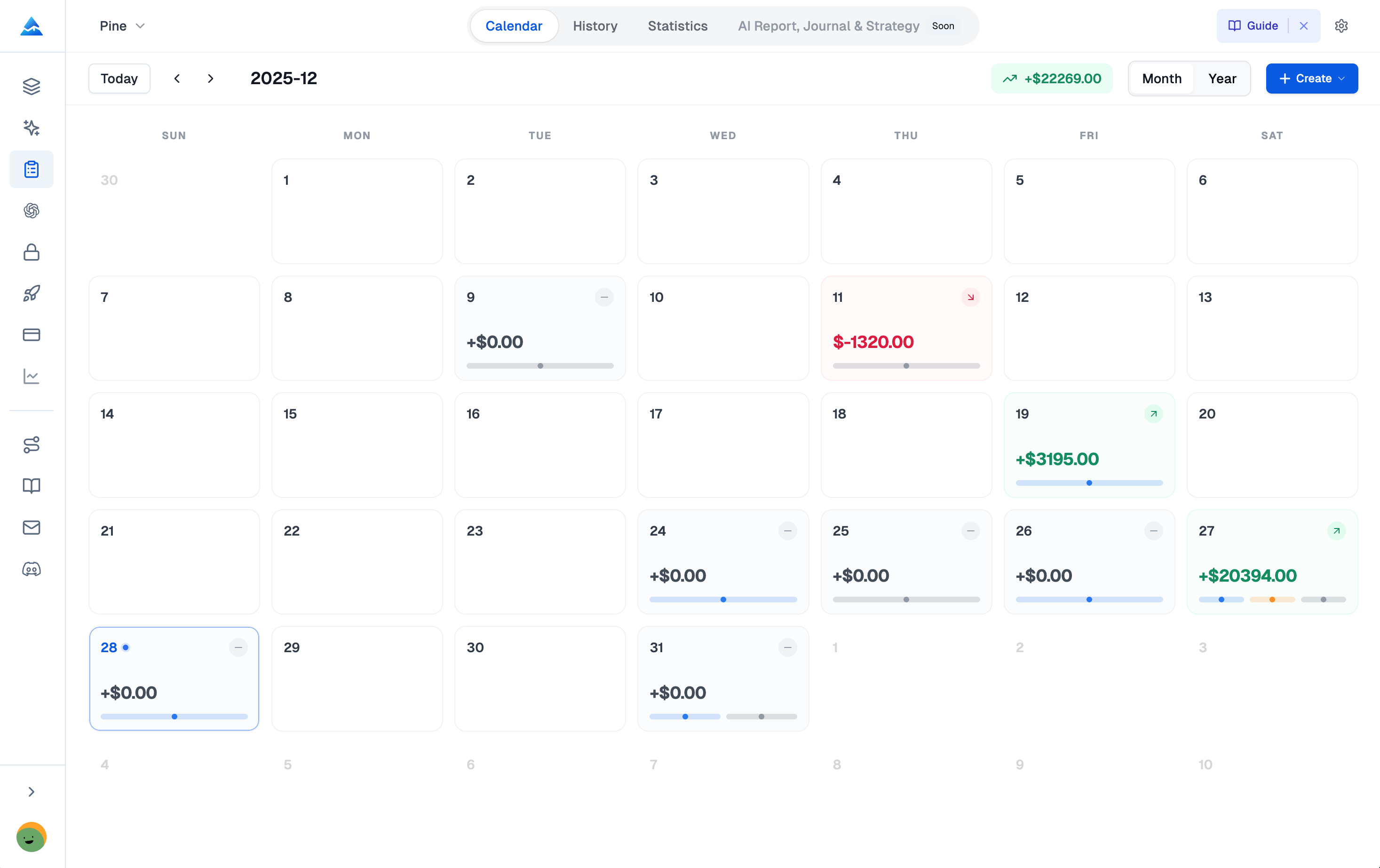
Pineify lets you turn the patterns you identify on Bookmap into automated TradingView indicators and strategies without coding. Whether you use the Visual Editor with its 235+ technical indicators or the AI Coding Agent that writes Pine Script from a description, you can build, test, and refine your edge in minutes. Once you have a hypothesis from your Bookmap replay, you can model it in Pineify, run a backtest, and validate its performance with analytics. I prefer this workflow because it saves hours of manual coding and lets me focus on what the replay taught me.
Do I need to record data before I can backtest on Bookmap?
For the full Replay Mode experience, yes - you need data previously recorded from the live market. Each time Bookmap is open and connected, enable the "Record Historical Data" checkbox in the startup settings. Without recording, there is no file to replay later. As an alternative, you can manually scroll back through Bookmap historical charts to study past price action.
Can I backtest cryptocurrencies and stocks on Bookmap, or only futures?
Bookmap supports futures (ES, NQ), cryptocurrencies (Bitcoin, Ethereum), and stocks. The Replay Mode and order-book liquidity analysis work the same way across all markets that Bookmap supports, so you are not limited to any single asset class.
What is the main difference between Bookmap replay backtesting and algorithmic backtesting?
Algorithmic backtesting is fully automated - you define rules and the software runs through years of data producing statistics. Bookmap Replay is hands-on and visual: you watch the order flow, pause at key moments, and train your eye to recognize patterns in real time. It is designed for discretionary traders, not for testing rigid coded strategies.
How much historical data can I save and replay in Bookmap?
Storage capacity is limited only by your computer's hard drive space. Because Bookmap saves detailed tick-by-tick data, files can be large - especially for highly active markets like Nasdaq futures. Moving older replay files to an external drive is a good habit to keep your local storage manageable.
Can I practice placing trades while in Bookmap Replay Mode?
Yes. If your broker or Bookmap setup supports simulated trading, you can place practice orders during a replay session. This lets you rehearse your timing and order entries in a realistic, fast-moving environment with zero financial risk - similar to a flight simulator for traders.
How do I avoid overfitting when backtesting on Bookmap?
Keep your strategy rules simple and logical. After testing on one market day, replay the same setup across many different sessions and instruments. If the approach only works on a narrow slice of historical data, it is likely overfit. Also factor in real trading costs - commissions, fees, and slippage - so your results reflect live conditions.
How should I structure a Bookmap backtesting journal?
Capture a screenshot of every key moment, tag each setup with a short label (e.g., false breakout, stop run), note your entry and exit reasoning, record the market condition (news event, quiet session, etc.), and write one lesson learned. Review these entries before each live session to reinforce pattern recognition.