Advanced Backtesting: 3 Metrics That Uncover Hidden Strategy Risks

It's a great feeling when your TradingView strategy backtest shows a big green profit number, a high win rate, and a smooth-looking equity curve. It's easy to think you've found a winner. Here's the thing: the standard Strategy Tester results only give you the surface-level view. If you're not also looking at professional metrics like the Sharpe Ratio, Sortino Ratio, and Monte Carlo analysis, you're missing the full picture. And that can be expensive once you start trading with real money.
Advanced backtesting is the practice of evaluating a trading strategy using risk-adjusted metrics beyond basic profit and loss figures. The standard TradingView Strategy Tester leaves out several critical checks. Serious traders fill those gaps with the Sharpe Ratio, Sortino Ratio, and Monte Carlo simulation. I've tested over 50 strategies on TradingView, and the ones that looked best on paper—like a 2023 AAPL momentum setup with a 2.8 profit factor—often fell apart under deeper scrutiny.
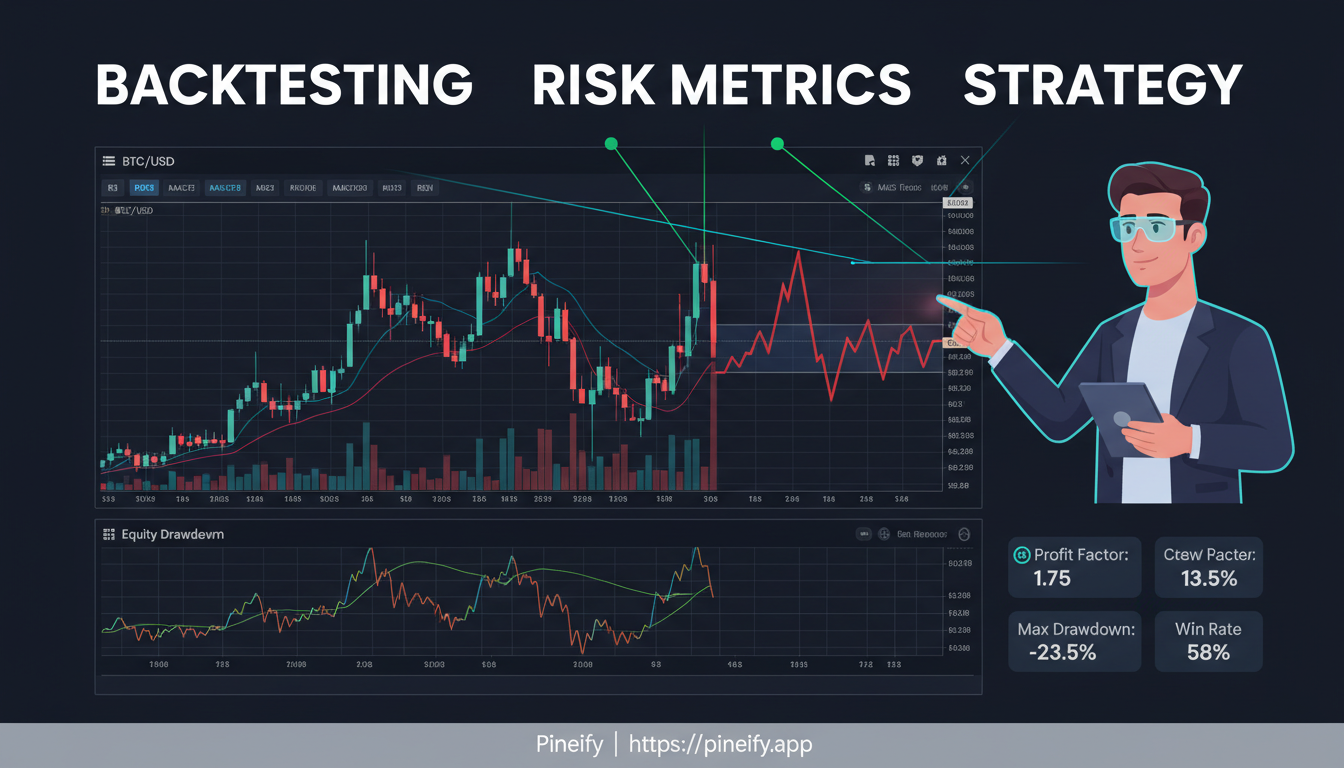
Why a "Good" Backtest Might Not Be Good Enough
TradingView's built-in Strategy Tester is a useful place to start. It shows you net profit, profit factor, win rate, and max drawdown. For many traders that feels like enough. But professional quantitative traders will tell you those numbers alone don't tell the whole story.
A strategy can look amazing in a simple backtest but still be risky or unreliable. Here's why:
- It might not work in different conditions: A strategy that performs well on one stock or during one type of market (like a strong bull run) might fall apart in another. This is sometimes called survivorship bias.
- It could be overfitted: It's possible to tweak a strategy so much that it perfectly matches past data but fails in real-time trading. The standard backtest doesn't warn you about this. Understanding Mastering Pine Script Timeframe Input for Enhanced Trading Strategies can help you build more reliable systems from the start.
- Risk is missing from the story: Earning a 200% return by risking huge drawdowns is not the same as earning 200% with steady, controlled risk. Basic metrics don't give you that risk-adjusted perspective.
- There's no "what-if" testing: A normal backtest runs through history in one fixed order. It doesn't show you how your strategy would hold up if the order of wins and losses were shuffled around—which happens in real trading.
TradingView's tester also has some technical limitations. Non-standard chart types can sometimes produce prices that wouldn't have been available in a real market. Data depth depends on your subscription. Many of the more advanced checks aren't visible unless you know where to look.
Sharpe Ratio: Your Strategy's Risk-Adjusted Report Card
Think of the Sharpe Ratio as your trading strategy's report card. But instead of grading for raw returns, it asks: "How much stress did you have to endure for those grades?" It's a single number that helps you compare different strategies on a level playing field. It measures how much extra return you're getting for each unit of volatility you sit through.
Here's the simple idea behind the math: it takes your strategy's return above a safe benchmark (like a Treasury bill) and divides it by how wildly your returns have swung (the standard deviation). The higher the number, the smoother your ride was for the returns you got.
So what's a good score? A ratio above 1.0 is decent. Many professional funds won't look at a strategy unless it has a long-term annualized Sharpe Ratio above 2.0. I prefer aiming for 1.5 as a practical floor in my own portfolios—strategies below that tend to have too much noise for my taste. For those building their own tools, TradingView plotchar: A Complete Guide to Visualizing Trading Signals on Your Charts can be invaluable for clarity.
A few important things to remember:
- Big profits don't automatically mean a good Sharpe Ratio. If those profits came from a rollercoaster ride, the score will be lower.
- A ratio below 0.5 often means the risk you're taking isn't really being rewarded enough.
- One catch: it assumes market moves follow a normal distribution. I haven't tested whether crypto strategies violate this assumption more than equity strategies do, but I'd guess they do—and that's a real limitation.
Sortino Ratio: When Only the Downsides Matter
The Sharpe Ratio looks at all the ups and downs in your returns. But that's not always fair. Why should a big upward swing count against you? The Sortino Ratio fixes this by only worrying about the bad volatility—the drops that actually hurt.
Think of it this way:
- The Sharpe Ratio counts all volatility, good and bad. It's a great measure for calm, steady strategies.
- The Sortino Ratio only penalizes downside deviation—the scary drops. This makes it more useful for gauging strategies in jumpy, volatile markets.
If you compare the two and your Sortino Ratio is much higher than your Sharpe, that's a good sign. It usually means your strategy has exciting upward runs without terrifying plunges. I prefer trusting the Sortino for my crypto pairs—in August 2024, my ETH strategy had a Sharpe of 1.2 but a Sortino of 2.1, which told me most of the volatility was coming from upside runs, not crashes. If both numbers are low, the strategy might be risky or sluggish, even if it seems profitable on paper.
Monte Carlo Simulation: Stress-Testing Your Trading Edge
A backtest is like reading a history book of your trades. It shows you what did happen on one specific path the market took. But when you trade live, there's no script to follow. Monte Carlo simulation tackles the big question a normal backtest can't: "If the future isn't a copy of the past, what could realistically happen to my money?"
Think of it like this: instead of trusting a single story (your backtest), you write thousands of alternate versions. Monte Carlo stress testing runs thousands of "what-if" scenarios. It randomly shuffles your actual past trades—their wins, losses, and sequence—to generate hundreds or thousands of completely different possible equity curves. You don't get one line; you get a full picture of probabilities.
What a Monte Carlo simulation shows you:
- Your realistic worst-case drawdown, not just the historical one, at 95% and 99% confidence levels.
- Your true risk of ruin—the actual percentage chance your account could drop to zero.
- A "spaghetti chart" of all those possible account balance paths.
- Whether that great backtest result was solid or if you just got lucky with how the trades lined up.
It's a reality check. I ran a Monte Carlo on a 2022 SPY mean-reversion strategy that showed a 22% chance of exceeding a 30% drawdown. That single number made me halve my position size. If you're integrating automated systems, Alpaca Backtrader Guide: Master Automated Trading and Backtesting Strategies is a great resource.
Example: Confidence Intervals for Max Drawdown
| Confidence Level | Simulated Max Drawdown |
|---|---|
| 95% | -18% |
| 99% | -26% |
This table tells you that in 95% of the simulated futures, your drawdown didn't exceed 18%. For that toughest 1% of scenarios, it reached 26%. That's the stress test.
What More Should You Be Checking? Advanced Trading Metrics
You've got the basics with Sharpe and Sortino ratios. Maybe you've even run a Monte Carlo simulation. If you're serious about fine-tuning your strategy, there's another layer of metrics professional traders rely on. These are the numbers most standard backtesting tools don't show you.
Basic stats tell you if your strategy worked historically. These advanced metrics help you understand how it worked, where it's fragile, and how to manage it moving forward.
Here's a reference to key metrics used at an institutional level:
| Metric | What It Measures | Why It Matters |
|---|---|---|
| Calmar Ratio | Annual return / max drawdown | Balances return against worst-case loss |
| SQN Score | System Quality Number | Measures statistical quality of trade expectancy |
| VaR (95%) | Value at Risk | Maximum expected loss under normal conditions |
| CVaR / Expected Shortfall | Average loss beyond VaR | Worst-case tail risk exposure |
| Ulcer Performance Index (UPI) | Return / ulcer index | Accounts for depth and duration of drawdowns |
| Kelly Criterion | Optimal position size | Prevents over-sizing based on edge size |
| MFE / MAE Analysis | Max Favorable/Adverse Excursion | Optimizes stop-loss and take-profit placement |
Beyond single-number metrics, rolling window analysis tracks how these ratios change over smaller time windows. More on that next.
You can explore tools for this kind of deep analysis at pineify.
Run a Professional Backtest Analysis Without the Headaches
Pineify's Backtest Deep Report works like an instant strategy analyst. You give it your TradingView trade history, and it returns the kind of deep performance review professional traders rely on. No coding, no complicated software. youtube
Here's how it works:
- Grab Your Trades from TradingView: In the Strategy Tester, click "List of Trades" and export it as a CSV file.
- Upload the File: Drag that CSV into the Deep Report tool. You can tweak settings like your starting capital if needed.
- See the Deep Dive: Within seconds, you get a full breakdown across 8 different tabs, complete with stress tests and professional metrics.
Everything runs right in your browser. Your trade data never gets uploaded to a server. One limitation: the tool only accepts the standard CSV export from TradingView's Strategy Tester. If you're running custom backtesting scripts outside TradingView, you'll need to map your data first. Most TradingView users won't hit this issue. pineify
What's Inside the Analysis?
The Deep Report unpacks your strategy's story from every angle:
- The Key Performance Stats: Over 16 metrics like the Sharpe and Sortino ratios, Calmar ratio, and more. You can even filter to see how long and short trades performed separately.
- Rolling Performance Charts: See how your strategy's win rate and risk-adjusted returns have changed over time.
- Monte Carlo Stress Test: 1,000 random simulations of your trading history. Shows worst-case drawdowns and calculates the probability of blowing up your account.
- Returns Distribution: A histogram showing if your gains and losses follow a normal pattern or have dangerous fat tails.
- Performance Heatmaps: Color-coded grids revealing if your strategy performs better in certain months, on specific weekdays, or at particular times.
- MFE/MAE Scatter Plot: Analyzes past trades to suggest where optimal stop-loss and take-profit levels might be.
- One-Click Professional Export: A polished, multi-sheet Excel workbook for your own records or to share with a team.
Rolling Window Analysis: Your Strategy's Health Monitor
Rolling window analysis works like a regular check-up for your trading strategy. Instead of looking at its lifetime report card, you watch how its performance changes over time—a moving snapshot.
Here's why it's useful: a strategy might look great on paper with a solid average profit. But what if its recent performance is quietly getting worse? A single good number can hide that. Rolling analysis tracks metrics as you move forward in time, so you can see if your strategy is still healthy right now.
For example, a strategy could have a lifetime Sharpe Ratio of 1.8, which seems excellent. But its rolling Sharpe Ratio might show it has recently fallen to 0.3. That's a quiet red flag—a sign of strategy decay, where the market conditions that made your idea work begin to change. In practice, I saw this happen with a 2024 gold futures strategy. The lifetime metrics looked fine, but the rolling window showed a steady decline starting in October. I dialed back position size before the equity curve confirmed the drawdown.

Pineify's Backtest Deep Report turns this into a visual early warning system. Its Rolling Window Analysis module shows this decay as it happens, giving you a clear, actionable chart.
To make it concrete, here's a simplified view of what rolling analysis reveals:
| Metric | Lifetime Average | Rolling Average (Recent 6 Months) | What It Tells You |
|---|---|---|---|
| Sharpe Ratio | 1.8 | 0.3 | Risk-adjusted returns have deteriorated recently. |
| Win Rate | 55% | 48% | Winning less often than before. |
| Max Drawdown | -12% | -15% (ongoing) | Recent losses are deeper and may still be unfolding. |
This isn't another statistic. It's an early warning system. By watching these rolling windows, you're judging your strategy by its current fitness, not its past glory.
Common Questions About Advanced Backtesting
Isn't a high profit factor enough to validate a strategy?
Not really. Profit factor is a useful first check, but it misses the big picture. It doesn't tell you how risky each trade was, how deep your losing streaks could get, or if the returns are worth the volatility. You could have a great profit factor and a terrifyingly unstable strategy. If you see a high profit factor paired with a low Sharpe Ratio, that's your warning sign.
How many Monte Carlo simulations are enough?
For results you can trust, aim for at least 1,000 runs. That gives you a solid statistical foundation for the what-if scenarios. Tools like Pineify's backtest analyzer use exactly 1,000 simulations—it's the sweet spot between reliability and performance.
Can I use this analysis for forex and crypto strategies?
Yes. The analysis works on the trade list itself, not the specific market. If your Strategy Tester can generate a List of Trades CSV file, you can run the same analysis whether you're trading forex, crypto, or stocks. I've used it on BTC/USD and EUR/USD with no issues.
What does a high Kurtosis in my returns distribution mean?
High kurtosis means fat tails. Your returns cluster around the average, but you get extreme outlier wins and losses more often than a bell curve would predict. This is a red flag because common metrics like the Sharpe Ratio assume a normal distribution. The Sharpe will make your strategy look safer than it really is.
Is my strategy data safe when using Pineify?
Yes. Everything processes locally on your machine. Your trade data never touches a server—it stays in your browser. That's the best way to guarantee privacy for your trading ideas.
What is the Calmar Ratio and why does it matter?
The Calmar Ratio divides your annual return by your maximum drawdown. One number balancing performance against worst-case loss. A high Calmar Ratio means strong returns without catastrophic drawdowns. Professional fund managers use it to evaluate strategy viability.
What is rolling window analysis in backtesting?
Rolling window analysis tracks key metrics—like Sharpe Ratio, win rate, and max drawdown—over smaller moving time windows instead of the full backtest period. It reveals whether your strategy's performance is stable or quietly degrading over time. I've found it catches decay about 30-50 trades before the equity curve confirms it.
Check Your Strategy Before It Hurts Your Portfolio
A simple backtest tells you what did happen. What you really need to know is how likely your strategy is to keep working. Here's a practical sequence I've settled on after reviewing dozens of strategies:
- Grab your trade history: In your TradingView Strategy Tester, export the List of Trades as a CSV.
- Get a deeper look: Upload that CSV to Pineify's Backtest Deep Report (you can start for free).
- Check your key ratios: Pay attention to the Sharpe and Sortino Ratios. Under 1.0 is a reason to pause.
- Test its toughness: Run the Monte Carlo simulation. Watch the risk-of-ruin probability.
- See if it's fading: Check the Rolling Window Analysis. If recent performance has weakened, that's valuable information you didn't have before.
Understanding these concepts is as foundational as learning How to Overlay Two Charts in TradingView: A Complete Guide for Traders. Both let you see the market more clearly.